Nike Collection Template


Edit Template Offline
2. Create new page and search for id 26426
Edit Template Online
Create Awesome Websites


Free Nicepage Builder
Keywords
Chinese Zodiac References Give the Footwear Story a Distinctive Direction
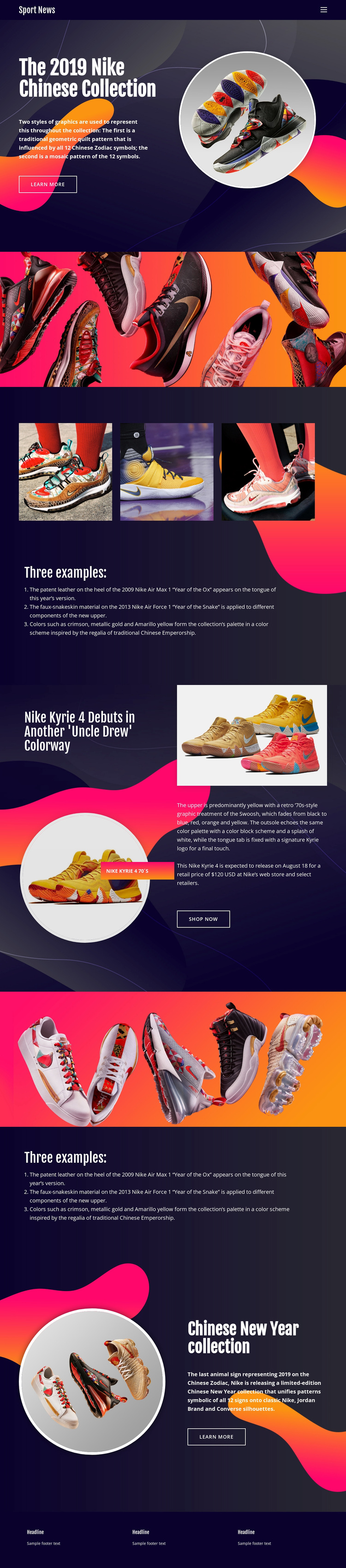
The strongest reason to choose this design is the way it combines product presentation with a specific cultural collection theme. The opening 2019 Nike Chinese Collection section does not rely on a generic catalog arrangement; it pairs compact editorial copy with a circular footwear image and a learn more action. The dark navy and purple backgrounds then provide a controlled setting for vivid orange, pink, yellow, and red footwear imagery.
The three-image example gallery and numbered Chinese Zodiac references deepen that direction by giving the collection a visual and explanatory center. The page also references Nike, Jordan Brand, and Converse silhouettes, so the content feels broader than a single-product feature. Later, the Nike Kyrie 4 section shifts from collection context to a concrete product story, including multiple images, a listed $120 USD retail price, and a shop now action.
This combination suits a project that needs editorial storytelling, colorful footwear presentation, and a clear commercial moment in the same page. It is a more specific choice than a neutral sports layout because the repeated circular imagery, seasonal references, vivid image bands, and numbered examples all support one recognizable collection narrative.
Customize with Nicepage
Open this ready-made template in the Template Builder and customize it visually in the Nicepage editor. Replace demo content, edit page sections, and adapt the design to your project without rebuilding the template from scratch.
Start With a Ready-Made Template
Choose a Design for a New Page
Use a ready-made template as a starting point instead of creating every page from a blank canvas. When adding a new page in Nicepage, browse available designs, compare different layouts, and choose an option that already fits the general purpose and visual direction of your project.
Browse Different Page Designs
Explore Page Designs using search, thematic categories, Design Sets, and full-page previews. The collection includes layouts for different subjects and page purposes, making it easier to compare alternatives before selecting a design to customize.
Customize the Selected Template
After choosing a design, create the page and continue editing it visually in Nicepage. Replace the demo content, adjust images, typography, colors, sections, and other elements, and adapt the ready-made layout to your own content instead of rebuilding the design from the beginning.
Explore More Design Directions
If the first option does not match your project closely enough, return to the design collection and compare other templates before committing to a layout. This makes the template library useful not only for faster page creation, but also for exploring different visual approaches and finding a suitable starting point for a new project.
This workflow gives you access to a broad collection of ready-made designs that can be selected, compared, and customized according to the needs of each new page or project.