Traditional style yoga Template



Edit Template Offline
2. Create new page and search for id 1144579
Edit Template Online
Create Awesome Websites


Free Nicepage Builder
Keywords
Four Class Categories Meet a Distinctive Meditation and Team Story
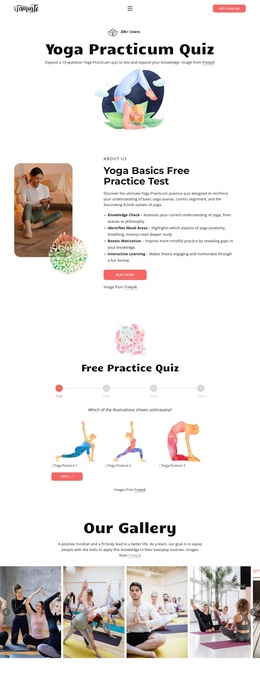
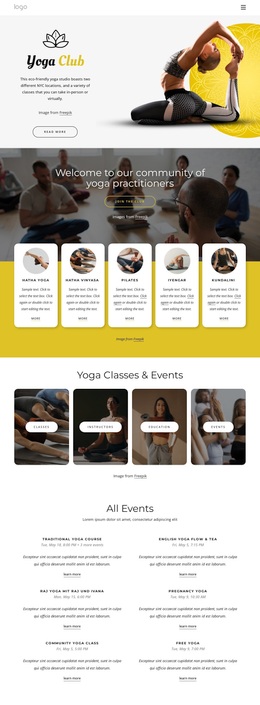
The design stands out through the way it combines practical class information with a broader wellness narrative. The opening “Yoga for Flexible Mind and Body” section establishes an editorial tone with a large photograph, warm olive background, and compact white content card. Educational panels then explain yoga’s relationship to the brain, mind, and body, so the page offers context before presenting its categories.
The four class tiles create the clearest selection point: Hatha Yoga, virtual classes, all classes, and meditation. Around them, the page adds a feature section about global synchronized meditations, using circular images around a dark central panel. This visual arrangement gives meditation a dedicated identity rather than treating it as one more item in a generic service grid. The About Team block and four master portraits add a human dimension, making the design suitable for projects where instructors and practice communities matter.
The closing sequence also contributes to the template’s value as a ready-made option. A three-image yoga strip creates a strong visual pause before the contact area, which combines a large photograph, form, Submit action, and social links. The result covers introduction, education, class discovery, meditation, team presentation, and inquiry in one design direction. It is a useful choice for a yoga or wellness project that needs calm imagery and clear content variety instead of a narrow promotional layout.
Customize with Nicepage
Open this ready-made template in the Template Builder and customize it visually in the Nicepage editor. Replace demo content, edit page sections, and adapt the design to your project without rebuilding the template from scratch.
Start With a Ready-Made Template
Choose a Design for a New Page
Use a ready-made template as a starting point instead of creating every page from a blank canvas. When adding a new page in Nicepage, browse available designs, compare different layouts, and choose an option that already fits the general purpose and visual direction of your project.
Browse Different Page Designs
Explore Page Designs using search, thematic categories, Design Sets, and full-page previews. The collection includes layouts for different subjects and page purposes, making it easier to compare alternatives before selecting a design to customize.
Customize the Selected Template
After choosing a design, create the page and continue editing it visually in Nicepage. Replace the demo content, adjust images, typography, colors, sections, and other elements, and adapt the ready-made layout to your own content instead of rebuilding the design from the beginning.
Explore More Design Directions
If the first option does not match your project closely enough, return to the design collection and compare other templates before committing to a layout. This makes the template library useful not only for faster page creation, but also for exploring different visual approaches and finding a suitable starting point for a new project.
This workflow gives you access to a broad collection of ready-made designs that can be selected, compared, and customized according to the needs of each new page or project.