Start a business from scratch WordPress Theme



A focused concept section for WordPress-managed page content
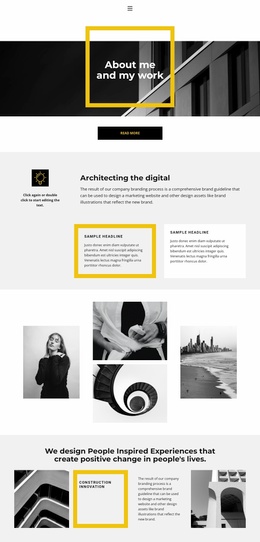
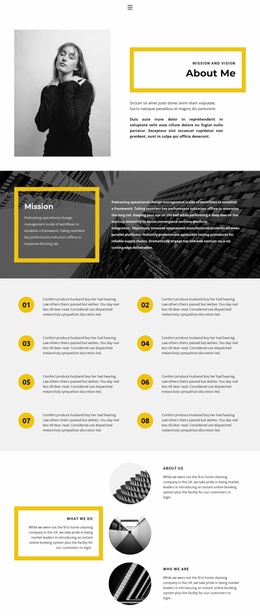
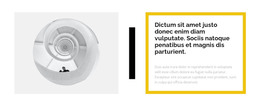
The heading gives this section a strong editorial starting point, presenting a statement about people-inspired experiences and positive change. The row below then turns that statement into a more specific concept: the “Construction innovation” label sits inside a thick yellow border, while the adjacent supporting paragraph discusses a company branding process and a comprehensive brand guideline. Two black-and-white architectural images occupy the outer positions, giving the content model a visual frame and connecting the featured concept with an architectural setting.
Within a WordPress-managed site, this block can serve as stable page content for a thematic introduction or featured concept area. Its value comes from the way the content is already grouped: the heading establishes the message, the highlighted panel names the subject, the paragraph supplies context, and the images provide visual atmosphere. The light gray background and dark typography keep those groups readable, while the yellow border creates a recognizable accent that can sit alongside other page sections. The block remains one reusable content area; a wider WordPress project can place it near services, portfolio material, or contact information without treating the section itself as a complete theme or website.
Customize with Nicepage
Open this ready-made template in the WordPress Website Builder and customize it visually in the Nicepage editor. Replace demo content, edit page sections, and adapt the design to your project without rebuilding the template from scratch.
Edit Template Offline
2. Create a new page or select existing
3. Click Add new block, search for id 874786 and click enter
Edit Template Online
Create Awesome Websites


Free Nicepage Builder
Keywords
Manage and Edit This Theme in WordPress
Customize and Install the WordPress Theme
Start with this ready-made theme instead of building the WordPress design from scratch. Customize its layout, content, typography, images, sections, and other design elements visually in Nicepage editor, then export and install the WordPress Theme, Plugin, and Pages on your WordPress site. The Nicepage WordPress Plugin lets you continue working with the site after installation.
Edit the Theme Directly in WordPress
After installation, you can edit the WordPress Theme directly in WordPress with the Nicepage WordPress Plugin. Use Site Style to customize site Colors, Fonts, Header, Footer, Blog, and Post Page Templates while working within your WordPress website.
Edit WordPress Pages Visually
Use the Nicepage WordPress Plugin to edit page content directly from the WordPress admin area. Open a WordPress Page with Nicepage and visually change its text, images, sections, and other page elements while continuing to manage the Page through WordPress.
WordPress Content and Theme Integration
Use the customized theme with WordPress Pages, Posts, Blog and Post Templates, menus, widgets, and other CMS-managed content. Shared theme elements such as Colors, Fonts, Header, Footer, Blog, and Post Page Templates can be managed as part of the overall site design, while WordPress provides the CMS environment for managing site content.
This workflow combines a ready-made WordPress Theme with visual customization, direct theme editing in WordPress, and continued content management through the Nicepage WordPress Plugin.