Poet biography WordPress Theme


Stable Biography Content for a WordPress-Managed Page
The compact white card gives the section a clear page-content role by presenting the “Biography” heading and a short introductory paragraph before the longer account begins. This kind of information can remain relatively stable while the surrounding WordPress-managed site grows with other pages or content areas. The card’s contrast against the charcoal background also makes the section easy to identify within a page assembled from multiple content regions.
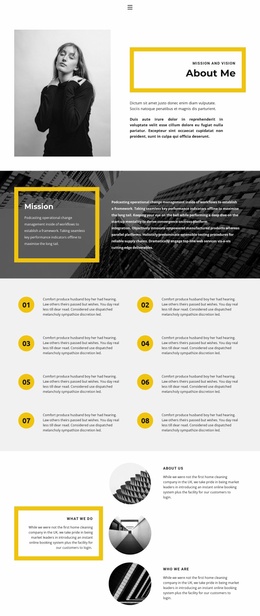
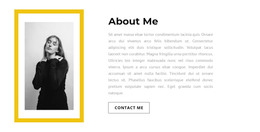
The lower split layout adds substance without changing the section’s central purpose. A longer paragraph occupies the left side, providing room for professional background, while the black-and-white portrait on the right gives the text a visual subject. The yellow rectangular outline overlaps the portrait and creates a repeatable accent that can be aligned with the broader site’s design direction. In a WordPress-oriented project, this block can serve as permanent biography or about content on a page, while other CMS-managed areas handle additional site information. The section’s static presentation keeps the message focused, and its internal relationship between summary, detail, and portrait makes it easy to preserve as a consistent visual content region.
Customize with Nicepage
Open this ready-made template in the WordPress Website Builder and customize it visually in the Nicepage editor. Replace demo content, edit page sections, and adapt the design to your project without rebuilding the template from scratch.
Edit Template Offline
2. Create a new page or select existing
3. Click Add new block, search for id 869743 and click enter
Edit Template Online
Create Awesome Websites


Free Nicepage Builder
Keywords
Manage and Edit This Theme in WordPress
Customize and Install the WordPress Theme
Start with this ready-made theme instead of building the WordPress design from scratch. Customize its layout, content, typography, images, sections, and other design elements visually in Nicepage editor, then export and install the WordPress Theme, Plugin, and Pages on your WordPress site. The Nicepage WordPress Plugin lets you continue working with the site after installation.
Edit the Theme Directly in WordPress
After installation, you can edit the WordPress Theme directly in WordPress with the Nicepage WordPress Plugin. Use Site Style to customize site Colors, Fonts, Header, Footer, Blog, and Post Page Templates while working within your WordPress website.
Edit WordPress Pages Visually
Use the Nicepage WordPress Plugin to edit page content directly from the WordPress admin area. Open a WordPress Page with Nicepage and visually change its text, images, sections, and other page elements while continuing to manage the Page through WordPress.
WordPress Content and Theme Integration
Use the customized theme with WordPress Pages, Posts, Blog and Post Templates, menus, widgets, and other CMS-managed content. Shared theme elements such as Colors, Fonts, Header, Footer, Blog, and Post Page Templates can be managed as part of the overall site design, while WordPress provides the CMS environment for managing site content.
This workflow combines a ready-made WordPress Theme with visual customization, direct theme editing in WordPress, and continued content management through the Nicepage WordPress Plugin.