We provide consulting services WordPress Theme


Icon-led service content fits a stable WordPress page section
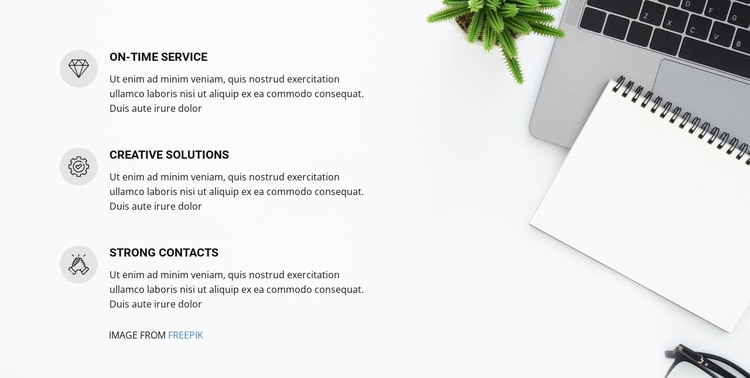
The left column gives the section a straightforward publishing structure: three repeated capability entries arranged from top to bottom. On-time Service, Creative Solutions, and Strong Contacts act as separate content units, with each circular icon helping distinguish its title from the supporting paragraph. This makes the block suitable for stable page content such as a services or features area, where related information needs to remain grouped without becoming a long continuous article.
Within a WordPress-managed site, the block can provide a consistent visual container for that page-oriented content while other parts of the project handle additional pages and regularly maintained material. The desk workspace image on the right adds an office context, but the laptop, notebook, and plant remain supporting visual elements rather than separate content entries. The contrast between the image-heavy side and the open text column creates a recognizable section pattern that can sit beside other WordPress page sections.
The repeated icon-and-text treatment also helps preserve visual consistency when the supporting descriptions are updated. A content editor can work with the three capability messages while the section continues to present them in the same vertical order, with the image and spacing maintaining the intended separation between explanation and visual context.
Customize with Nicepage
Open this ready-made template in the WordPress Website Builder and customize it visually in the Nicepage editor. Replace demo content, edit page sections, and adapt the design to your project without rebuilding the template from scratch.
Edit Template Offline
2. Create a new page or select existing
3. Click Add new block, search for id 86441 and click enter
Edit Template Online
Create Awesome Websites


Free Nicepage Builder
Keywords
Manage and Edit This Theme in WordPress
Customize and Install the WordPress Theme
Start with this ready-made theme instead of building the WordPress design from scratch. Customize its layout, content, typography, images, sections, and other design elements visually in Nicepage editor, then export and install the WordPress Theme, Plugin, and Pages on your WordPress site. The Nicepage WordPress Plugin lets you continue working with the site after installation.
Edit the Theme Directly in WordPress
After installation, you can edit the WordPress Theme directly in WordPress with the Nicepage WordPress Plugin. Use Site Style to customize site Colors, Fonts, Header, Footer, Blog, and Post Page Templates while working within your WordPress website.
Edit WordPress Pages Visually
Use the Nicepage WordPress Plugin to edit page content directly from the WordPress admin area. Open a WordPress Page with Nicepage and visually change its text, images, sections, and other page elements while continuing to manage the Page through WordPress.
WordPress Content and Theme Integration
Use the customized theme with WordPress Pages, Posts, Blog and Post Templates, menus, widgets, and other CMS-managed content. Shared theme elements such as Colors, Fonts, Header, Footer, Blog, and Post Page Templates can be managed as part of the overall site design, while WordPress provides the CMS environment for managing site content.
This workflow combines a ready-made WordPress Theme with visual customization, direct theme editing in WordPress, and continued content management through the Nicepage WordPress Plugin.