Meet your HR partner WordPress Theme



Edit Template Offline
2. Create new page and search for id 6520684
Edit Template Online
Create Awesome Websites


Free Nicepage Builder
Keywords
Agency Pages, Career Content, and Reusable People Sections
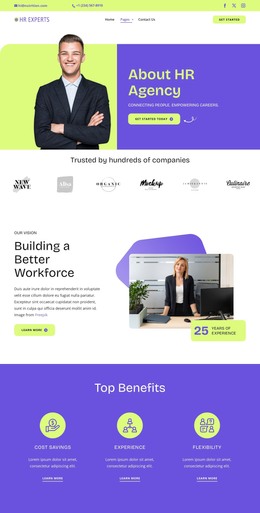
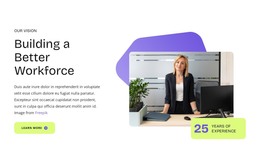
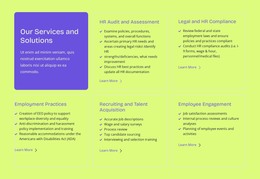
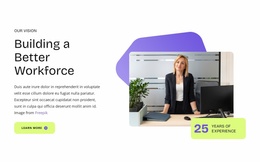
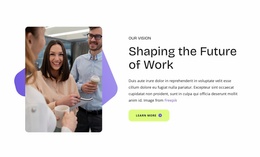
The About HR Agency hero and the two workforce vision sections provide clear permanent page content: they explain the agency’s purpose, approach, and focus on building a better workforce. The three benefit cards add a compact value section around Cost Savings, Experience, and Flexibility, while the capability lists give employers more specific themes to develop, including talent networks, personalized hiring, industry expertise, and scalable services. These page areas can remain visually coordinated as the site’s core informational content.
The eight-person team section offers a different content relationship. Its repeated portrait cards, names, roles, and social links create a people-focused collection that could support individual profiles or updated team information in a WordPress-oriented project, without claiming that those profiles are already connected to WordPress content. The career callout serves another audience by directing visitors toward job exploration, and the subscription form provides a separate place for ongoing news and update communication.
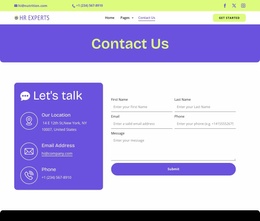
Navigation is also important to the theme interpretation. The footer includes Help, Services, News & Blog, contact information, a New York, NY address, and social links, giving the design shared site regions around its page content. WordPress can therefore provide an environment for maintaining permanent agency information alongside future editorial or career updates, while the existing palette, rounded cards, portraits, and typography preserve one recognizable theme character across those content areas.
Customize with Nicepage
Open this ready-made template in the WordPress Website Builder and customize it visually in the Nicepage editor. Replace demo content, edit page sections, and adapt the design to your project without rebuilding the template from scratch.
Manage and Edit This Theme in WordPress
Customize and Install the WordPress Theme
Start with this ready-made theme instead of building the WordPress design from scratch. Customize its layout, content, typography, images, sections, and other design elements visually in Nicepage editor, then export and install the WordPress Theme, Plugin, and Pages on your WordPress site. The Nicepage WordPress Plugin lets you continue working with the site after installation.
Edit the Theme Directly in WordPress
After installation, you can edit the WordPress Theme directly in WordPress with the Nicepage WordPress Plugin. Use Site Style to customize site Colors, Fonts, Header, Footer, Blog, and Post Page Templates while working within your WordPress website.
Edit WordPress Pages Visually
Use the Nicepage WordPress Plugin to edit page content directly from the WordPress admin area. Open a WordPress Page with Nicepage and visually change its text, images, sections, and other page elements while continuing to manage the Page through WordPress.
WordPress Content and Theme Integration
Use the customized theme with WordPress Pages, Posts, Blog and Post Templates, menus, widgets, and other CMS-managed content. Shared theme elements such as Colors, Fonts, Header, Footer, Blog, and Post Page Templates can be managed as part of the overall site design, while WordPress provides the CMS environment for managing site content.
This workflow combines a ready-made WordPress Theme with visual customization, direct theme editing in WordPress, and continued content management through the Nicepage WordPress Plugin.