About hr agency WordPress Theme


The agency message works as stable page content beside a human portrait
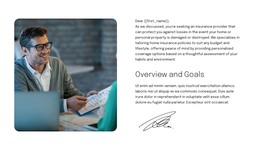
The block’s content is suited to a permanent about-oriented page section rather than a time-sensitive update. “About HR Agency” names the subject, and “Connecting People. Empowering Careers.” gives the section a durable statement about its purpose. The smiling portrait of a man in a suit adds human context on the left, while the right-side “Get Started Today” button gives visitors a visible path onward from the introduction.
Within a WordPress-managed site, this section can remain a consistent part of a page while surrounding content changes or expands. The split structure keeps the agency identity and written message easy to distinguish, and the lime and purple fields give the section a recognizable visual treatment. Rounded outer corners and generous spacing help it sit alongside other page sections without losing its boundary. The decorative arrow and circular button icon reinforce the visual direction but do not require the block to carry broader site functions.
The block therefore fits a WordPress-oriented content role without being treated as a complete WordPress Theme. A wider project may add recruitment services, career opportunities, articles, or contact content around it. This section’s contribution is focused and reusable: introduce the agency, connect it with a people-and-career message, and provide one clear action within the larger managed page.
Customize with Nicepage
Open this ready-made template in the WordPress Website Builder and customize it visually in the Nicepage editor. Replace demo content, edit page sections, and adapt the design to your project without rebuilding the template from scratch.
Edit Template Offline
2. Create a new page or select existing
3. Click Add new block, search for id 6520329 and click enter
Edit Template Online
Create Awesome Websites


Free Nicepage Builder
Keywords
Manage and Edit This Theme in WordPress
Customize and Install the WordPress Theme
Start with this ready-made theme instead of building the WordPress design from scratch. Customize its layout, content, typography, images, sections, and other design elements visually in Nicepage editor, then export and install the WordPress Theme, Plugin, and Pages on your WordPress site. The Nicepage WordPress Plugin lets you continue working with the site after installation.
Edit the Theme Directly in WordPress
After installation, you can edit the WordPress Theme directly in WordPress with the Nicepage WordPress Plugin. Use Site Style to customize site Colors, Fonts, Header, Footer, Blog, and Post Page Templates while working within your WordPress website.
Edit WordPress Pages Visually
Use the Nicepage WordPress Plugin to edit page content directly from the WordPress admin area. Open a WordPress Page with Nicepage and visually change its text, images, sections, and other page elements while continuing to manage the Page through WordPress.
WordPress Content and Theme Integration
Use the customized theme with WordPress Pages, Posts, Blog and Post Templates, menus, widgets, and other CMS-managed content. Shared theme elements such as Colors, Fonts, Header, Footer, Blog, and Post Page Templates can be managed as part of the overall site design, while WordPress provides the CMS environment for managing site content.
This workflow combines a ready-made WordPress Theme with visual customization, direct theme editing in WordPress, and continued content management through the Nicepage WordPress Plugin.