Put customers first to power your growth WordPress Theme


A Stable Diversity Message for WordPress Page Content
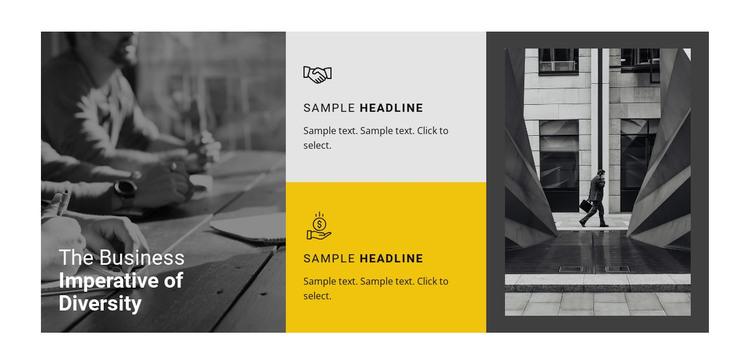
The section’s content reads as stable page information rather than a changing feed: one clear heading introduces the subject, and two central cards develop it through separate feature points. Each card contains an icon, headline, and supporting paragraph, giving the block a consistent content pattern that can sit within a WordPress-managed page without requiring the whole section to become a site-wide template.
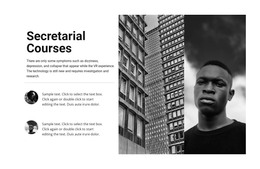
Its three-column composition reinforces that reading order. The left column combines the monochrome business meeting photograph with the heading “The Business Imperative of Diversity,” placing the topic directly within the primary visual. The center column is reserved for the two explanatory cards, whose light gray and bright yellow backgrounds create a measured contrast. A monochrome architectural photograph with a walking figure balances the right side and adds visual context without competing with the card text.
For WordPress page content, the block can provide a focused mid-page information area between an introduction and related sections. The surrounding project may handle other page content and publishing needs, while this reusable section preserves its own message, two-card structure, and image-led balance. Its static arrangement is especially suited to content that should remain visible as a concise, visually distinct explanation rather than depend on interactive controls.
Customize with Nicepage
Open this ready-made template in the WordPress Website Builder and customize it visually in the Nicepage editor. Replace demo content, edit page sections, and adapt the design to your project without rebuilding the template from scratch.
Edit Template Offline
2. Create a new page or select existing
3. Click Add new block, search for id 58553 and click enter
Edit Template Online
Create Awesome Websites


Free Nicepage Builder
Keywords
Manage and Edit This Theme in WordPress
Customize and Install the WordPress Theme
Start with this ready-made theme instead of building the WordPress design from scratch. Customize its layout, content, typography, images, sections, and other design elements visually in Nicepage editor, then export and install the WordPress Theme, Plugin, and Pages on your WordPress site. The Nicepage WordPress Plugin lets you continue working with the site after installation.
Edit the Theme Directly in WordPress
After installation, you can edit the WordPress Theme directly in WordPress with the Nicepage WordPress Plugin. Use Site Style to customize site Colors, Fonts, Header, Footer, Blog, and Post Page Templates while working within your WordPress website.
Edit WordPress Pages Visually
Use the Nicepage WordPress Plugin to edit page content directly from the WordPress admin area. Open a WordPress Page with Nicepage and visually change its text, images, sections, and other page elements while continuing to manage the Page through WordPress.
WordPress Content and Theme Integration
Use the customized theme with WordPress Pages, Posts, Blog and Post Templates, menus, widgets, and other CMS-managed content. Shared theme elements such as Colors, Fonts, Header, Footer, Blog, and Post Page Templates can be managed as part of the overall site design, while WordPress provides the CMS environment for managing site content.
This workflow combines a ready-made WordPress Theme with visual customization, direct theme editing in WordPress, and continued content management through the Nicepage WordPress Plugin.