Your Trusted finance partner WordPress Theme


Stable Feature Content for a WordPress-Managed Page
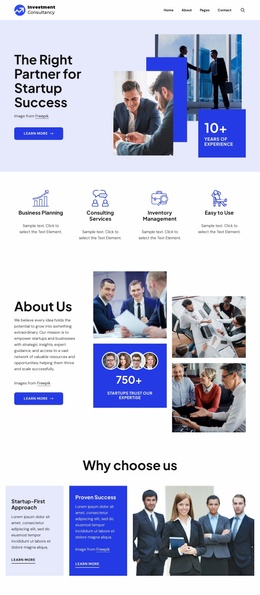
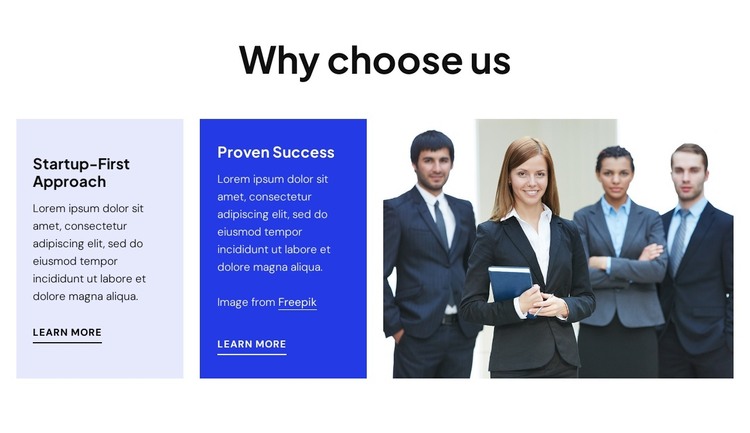
The heading “Why choose us” frames the block as durable explanatory content rather than a time-sensitive update. Its two feature panels, “Startup-First Approach” and “Proven Success,” divide that explanation into separate provider advantages. Each panel includes descriptive text and a “Learn more” link, giving each message its own path for additional information. The pale lavender and vivid blue backgrounds support this distinction, while the large business-people photograph adds a consistent visual context to the right.
In a WordPress-oriented project, the block can participate as one reusable page section within a wider theme and content structure. It would fit naturally on a stable services, company, or provider page while other CMS-managed areas handle additional pages or regularly updated material. The section’s value comes from preserving its two-part information model: visitors can scan both reasons together, then choose the relevant link instead of navigating a single undifferentiated paragraph.
The static interaction also keeps the content immediately available, which suits a section intended to explain selection criteria without requiring visitors to open tabs or operate a slider. The image remains a separate supporting region, not a third feature panel, so the content hierarchy stays clear when the block is placed among other page sections. WordPress supplies the broader managed environment; this block contributes a focused, visually organized area of permanent page content rather than functioning as a standalone theme.
Customize with Nicepage
Open this ready-made template in the WordPress Website Builder and customize it visually in the Nicepage editor. Replace demo content, edit page sections, and adapt the design to your project without rebuilding the template from scratch.
Edit Template Offline
2. Create a new page or select existing
3. Click Add new block, search for id 6475836 and click enter
Edit Template Online
Create Awesome Websites


Free Nicepage Builder
Keywords
Manage and Edit This Theme in WordPress
Customize and Install the WordPress Theme
Start with this ready-made theme instead of building the WordPress design from scratch. Customize its layout, content, typography, images, sections, and other design elements visually in Nicepage editor, then export and install the WordPress Theme, Plugin, and Pages on your WordPress site. The Nicepage WordPress Plugin lets you continue working with the site after installation.
Edit the Theme Directly in WordPress
After installation, you can edit the WordPress Theme directly in WordPress with the Nicepage WordPress Plugin. Use Site Style to customize site Colors, Fonts, Header, Footer, Blog, and Post Page Templates while working within your WordPress website.
Edit WordPress Pages Visually
Use the Nicepage WordPress Plugin to edit page content directly from the WordPress admin area. Open a WordPress Page with Nicepage and visually change its text, images, sections, and other page elements while continuing to manage the Page through WordPress.
WordPress Content and Theme Integration
Use the customized theme with WordPress Pages, Posts, Blog and Post Templates, menus, widgets, and other CMS-managed content. Shared theme elements such as Colors, Fonts, Header, Footer, Blog, and Post Page Templates can be managed as part of the overall site design, while WordPress provides the CMS environment for managing site content.
This workflow combines a ready-made WordPress Theme with visual customization, direct theme editing in WordPress, and continued content management through the Nicepage WordPress Plugin.