Neon party WordPress Theme



A Publishable Event Section With a Strong Visual Entry Point
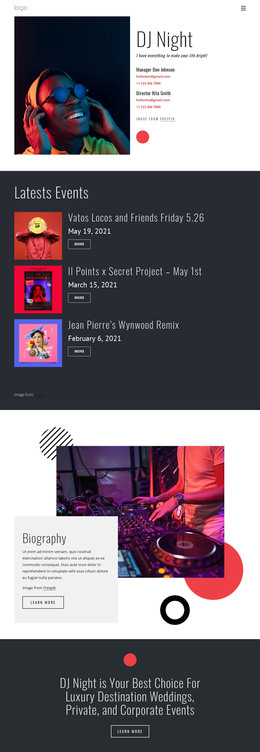
The lower-left title group reads as stable page content rather than a stream of dated updates. “The old school,” “neon,” and “party” identify the event theme in three concise lines, while the deep navy panel gives that wording a consistent visual field. The equal-width right panel adds a photograph of a person wearing sunglasses in a neon-lit environment, so the section combines a durable message with an immediately recognizable atmosphere.
Within a WordPress-managed page, this block can serve as the visual introduction to event-related content while remaining one bounded section. Additional page content can explain dates, venue information, performers, or registration elsewhere, leaving this area to establish the subject and mood. Its static interaction also keeps the section’s purpose direct: visitors see the title and image together without needing to operate a slider, gallery, or expandable control.
The palette provides useful continuity for related page content. White and magenta type stands out against navy, while red and cyan in the image reinforce the nightlife direction. A WordPress-oriented project can retain this visual section as permanent event content and place other managed material around it. The block contributes a focused title-and-image region; it does not replace the wider theme, page structure, or editorial system.
Customize with Nicepage
Open this ready-made template in the WordPress Website Builder and customize it visually in the Nicepage editor. Replace demo content, edit page sections, and adapt the design to your project without rebuilding the template from scratch.
Edit Template Offline
2. Create a new page or select existing
3. Click Add new block, search for id 55532 and click enter
Edit Template Online
Create Awesome Websites


Free Nicepage Builder
Keywords
Manage and Edit This Theme in WordPress
Customize and Install the WordPress Theme
Start with this ready-made theme instead of building the WordPress design from scratch. Customize its layout, content, typography, images, sections, and other design elements visually in Nicepage editor, then export and install the WordPress Theme, Plugin, and Pages on your WordPress site. The Nicepage WordPress Plugin lets you continue working with the site after installation.
Edit the Theme Directly in WordPress
After installation, you can edit the WordPress Theme directly in WordPress with the Nicepage WordPress Plugin. Use Site Style to customize site Colors, Fonts, Header, Footer, Blog, and Post Page Templates while working within your WordPress website.
Edit WordPress Pages Visually
Use the Nicepage WordPress Plugin to edit page content directly from the WordPress admin area. Open a WordPress Page with Nicepage and visually change its text, images, sections, and other page elements while continuing to manage the Page through WordPress.
WordPress Content and Theme Integration
Use the customized theme with WordPress Pages, Posts, Blog and Post Templates, menus, widgets, and other CMS-managed content. Shared theme elements such as Colors, Fonts, Header, Footer, Blog, and Post Page Templates can be managed as part of the overall site design, while WordPress provides the CMS environment for managing site content.
This workflow combines a ready-made WordPress Theme with visual customization, direct theme editing in WordPress, and continued content management through the Nicepage WordPress Plugin.