Legengs of jazz music WordPress Theme



Edit Template Offline
2. Create new page and search for id 13021
Edit Template Online
Create Awesome Websites


Free Nicepage Builder
Keywords
Editorial Stories and Repeated Event Content Fit a Publishable Theme
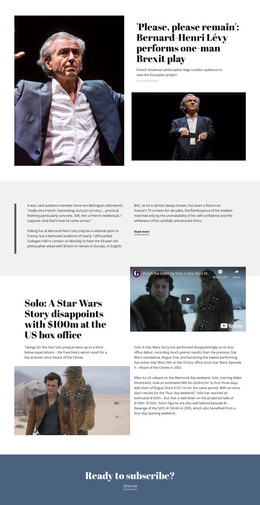
The page separates permanent editorial areas from recurring feature material in a way that suits a WordPress-managed content environment. The lead story has a clear title, byline, date, image, and Read more action, making it distinct from the Jazz Today introduction and the second musician article. Together, these sections establish page-oriented content that can be expanded or replaced while retaining the same visual direction.
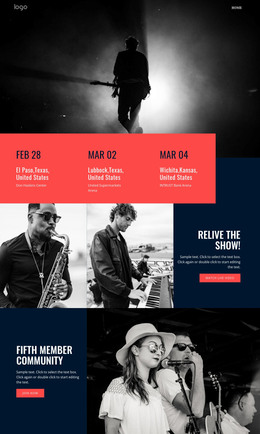
The two festival cards provide a different relationship between content and design. Canary Wharf Jazz Festival and EFG London Jazz Festival use matching image, title, description, and action structures, which makes them natural examples of repeated event or feature content rather than isolated decorative blocks. The concert gallery adds a visual coverage area, while the History, Jazz Piano, and Artists panels can frame stable reference subjects. Navigation, the Jazz Forever footer, and social links complete the shared site elements around those content regions. In a WordPress project, these areas could support a combination of permanent pages and regularly updated editorial material, but the analysis does not verify existing WordPress Posts, categories, or blog templates. The theme interpretation comes from the page’s content relationships and repeatable publishing pattern, not from inserting CMS terminology into a generic design description.
Customize with Nicepage
Open this ready-made template in the WordPress Website Builder and customize it visually in the Nicepage editor. Replace demo content, edit page sections, and adapt the design to your project without rebuilding the template from scratch.
Manage and Edit This Theme in WordPress
Customize and Install the WordPress Theme
Start with this ready-made theme instead of building the WordPress design from scratch. Customize its layout, content, typography, images, sections, and other design elements visually in Nicepage editor, then export and install the WordPress Theme, Plugin, and Pages on your WordPress site. The Nicepage WordPress Plugin lets you continue working with the site after installation.
Edit the Theme Directly in WordPress
After installation, you can edit the WordPress Theme directly in WordPress with the Nicepage WordPress Plugin. Use Site Style to customize site Colors, Fonts, Header, Footer, Blog, and Post Page Templates while working within your WordPress website.
Edit WordPress Pages Visually
Use the Nicepage WordPress Plugin to edit page content directly from the WordPress admin area. Open a WordPress Page with Nicepage and visually change its text, images, sections, and other page elements while continuing to manage the Page through WordPress.
WordPress Content and Theme Integration
Use the customized theme with WordPress Pages, Posts, Blog and Post Templates, menus, widgets, and other CMS-managed content. Shared theme elements such as Colors, Fonts, Header, Footer, Blog, and Post Page Templates can be managed as part of the overall site design, while WordPress provides the CMS environment for managing site content.
This workflow combines a ready-made WordPress Theme with visual customization, direct theme editing in WordPress, and continued content management through the Nicepage WordPress Plugin.