lectronic Music Festival Ticket WordPress Theme
Edit Template Offline
2. Create new page and search for id 6630601
Edit Template Online
Create Awesome Websites


Free Nicepage Builder
Keywords
Artist Content and Pass Options Fit a Managed Event Theme
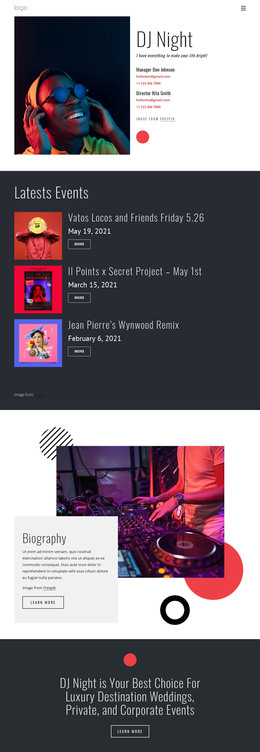
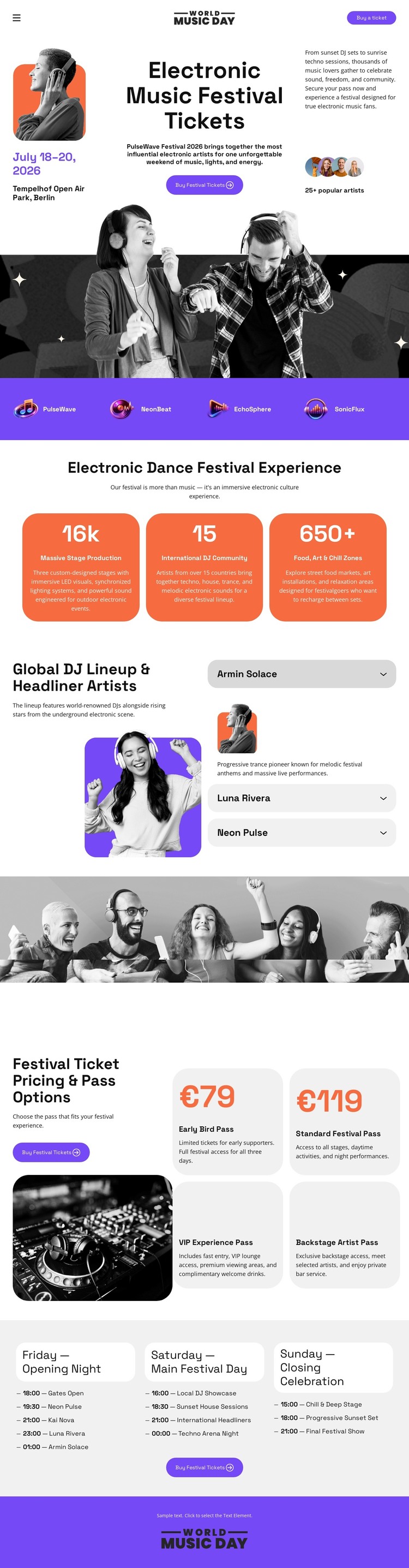
The page-oriented content is divided into areas that can naturally support a WordPress-managed festival site. The lineup section gives artist information a clear editorial region: one featured performer image is paired with three stacked entries, making the people behind the event more prominent than a generic image gallery. The four pass cards form a separate permanent page area for comparing admission choices, while the Friday, Saturday, and Sunday columns organize the daily program.
These areas can remain part of one visual theme even as the project adds or updates event content. The three metric panels provide a compact highlight layer, and the purple brand strip and closing panel supply recurring identity cues around the main information. The hero then connects those content areas to the ticket purpose without requiring the lineup, passes, and schedule to compete for the same visual role.
For a WordPress-oriented project, the design is therefore useful because it already distinguishes page content, repeated event information, and response areas. It does not prove that posts, categories, or blog structures exist in the template; instead, its verified artist, pass, schedule, and brand regions provide a coherent visual environment for managed festival content and future updates.
Customize with Nicepage
Open this ready-made template in the WordPress Website Builder and customize it visually in the Nicepage editor. Replace demo content, edit page sections, and adapt the design to your project without rebuilding the template from scratch.
Manage and Edit This Theme in WordPress
Customize and Install the WordPress Theme
Start with this ready-made theme instead of building the WordPress design from scratch. Customize its layout, content, typography, images, sections, and other design elements visually in Nicepage editor, then export and install the WordPress Theme, Plugin, and Pages on your WordPress site. The Nicepage WordPress Plugin lets you continue working with the site after installation.
Edit the Theme Directly in WordPress
After installation, you can edit the WordPress Theme directly in WordPress with the Nicepage WordPress Plugin. Use Site Style to customize site Colors, Fonts, Header, Footer, Blog, and Post Page Templates while working within your WordPress website.
Edit WordPress Pages Visually
Use the Nicepage WordPress Plugin to edit page content directly from the WordPress admin area. Open a WordPress Page with Nicepage and visually change its text, images, sections, and other page elements while continuing to manage the Page through WordPress.
WordPress Content and Theme Integration
Use the customized theme with WordPress Pages, Posts, Blog and Post Templates, menus, widgets, and other CMS-managed content. Shared theme elements such as Colors, Fonts, Header, Footer, Blog, and Post Page Templates can be managed as part of the overall site design, while WordPress provides the CMS environment for managing site content.
This workflow combines a ready-made WordPress Theme with visual customization, direct theme editing in WordPress, and continued content management through the Nicepage WordPress Plugin.