Music News WordPress Theme


Edit Template Offline
2. Create new page and search for id 13032
Edit Template Online
Create Awesome Websites


Free Nicepage Builder
Keywords
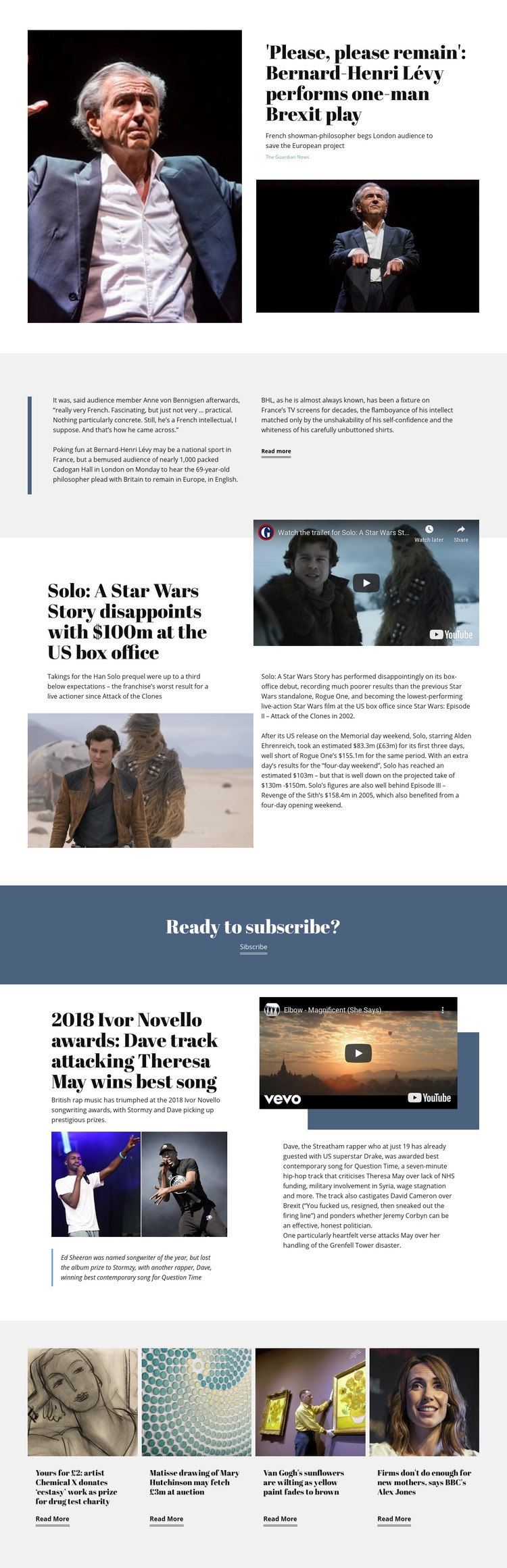
Feature stories and four related cards support managed editorial content
The page separates its strongest editorial units into distinct content areas that can be understood and maintained independently. The opening story uses a large portrait image with a headline, summary, source attribution, and continuation text, establishing a page-oriented feature rather than a bare article title. A vertical blue rule and two-column reading area add a recognizable treatment for supporting copy, while the film story introduces a different combination of headline, video, image, and extended article text.
The music awards section provides another repeatable editorial pattern: artist imagery carries the visual entry point, a video area adds media context, and quotation and explanatory copy give the story additional depth. The subscription band then separates the reading content from a direct reader response, and the final row of four cards supplies a compact set of related stories about art, music, and social issues. These relationships are important for a WordPress-oriented theme because permanent page content and regularly refreshed editorial material can share the same visual direction without forcing every story into one identical layout.
The restrained palette, serif display type, thin dividers, and pale backgrounds give the content areas a common identity across the page. As a result, new editorial material can be organized around feature stories, media-supported sections, subscription messaging, and related coverage while preserving the publication’s recognizable character. The sample article names and statistics demonstrate structure only; they are not required as factual publication data.
Customize with Nicepage
Open this ready-made template in the WordPress Website Builder and customize it visually in the Nicepage editor. Replace demo content, edit page sections, and adapt the design to your project without rebuilding the template from scratch.
Manage and Edit This Theme in WordPress
Customize and Install the WordPress Theme
Start with this ready-made theme instead of building the WordPress design from scratch. Customize its layout, content, typography, images, sections, and other design elements visually in Nicepage editor, then export and install the WordPress Theme, Plugin, and Pages on your WordPress site. The Nicepage WordPress Plugin lets you continue working with the site after installation.
Edit the Theme Directly in WordPress
After installation, you can edit the WordPress Theme directly in WordPress with the Nicepage WordPress Plugin. Use Site Style to customize site Colors, Fonts, Header, Footer, Blog, and Post Page Templates while working within your WordPress website.
Edit WordPress Pages Visually
Use the Nicepage WordPress Plugin to edit page content directly from the WordPress admin area. Open a WordPress Page with Nicepage and visually change its text, images, sections, and other page elements while continuing to manage the Page through WordPress.
WordPress Content and Theme Integration
Use the customized theme with WordPress Pages, Posts, Blog and Post Templates, menus, widgets, and other CMS-managed content. Shared theme elements such as Colors, Fonts, Header, Footer, Blog, and Post Page Templates can be managed as part of the overall site design, while WordPress provides the CMS environment for managing site content.
This workflow combines a ready-made WordPress Theme with visual customization, direct theme editing in WordPress, and continued content management through the Nicepage WordPress Plugin.