Horror Escape Room WordPress Theme


Edit Template Offline
2. Create new page and search for id 6661913
Edit Template Online
Create Awesome Websites


Free Nicepage Builder
Keywords
Experience Cards and Review Content Support Expandable Page Areas
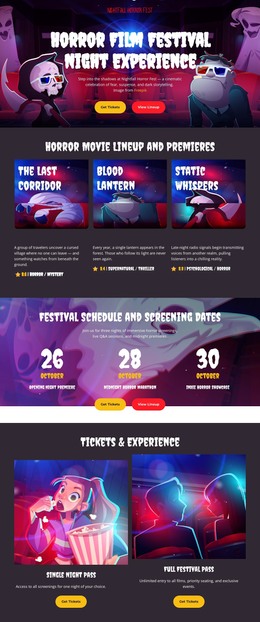
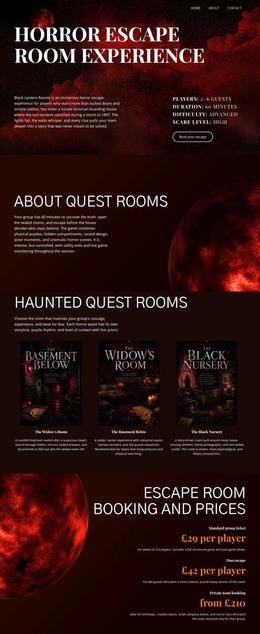
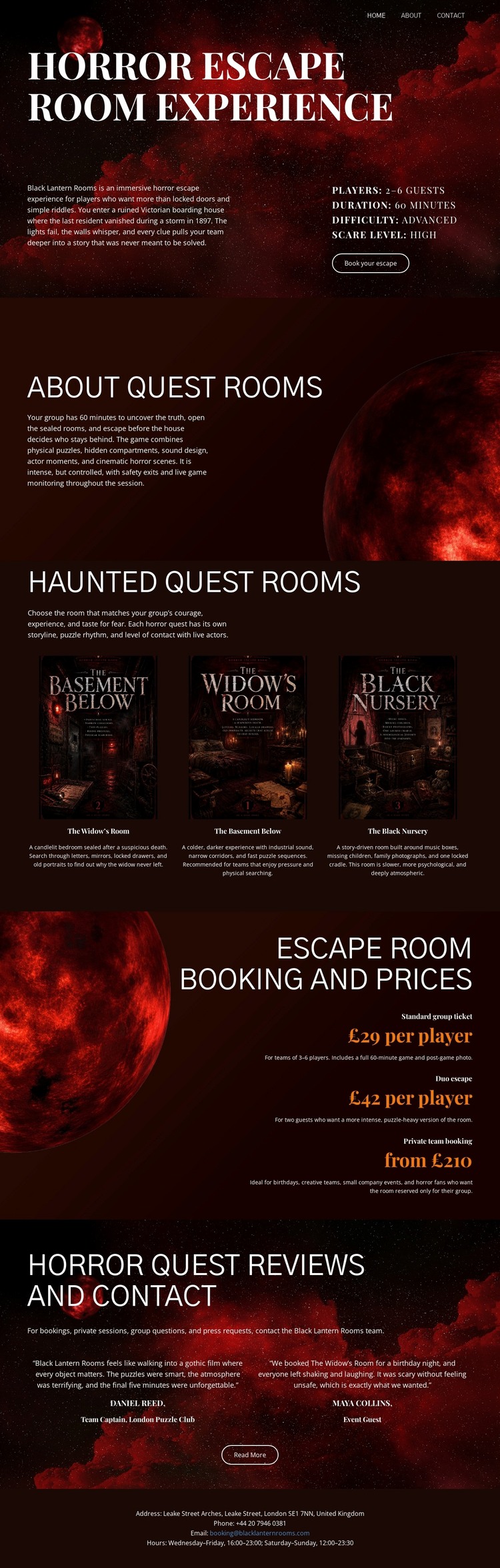
The room grid gives the design a strong page-oriented content structure. Basement Below, Widow's Room, and The Black Nursery are presented as separate experiences, each with an image, title, and description. This repeated pattern could support permanent room information while leaving the shared dark visual direction intact. The About Quest Rooms section provides the broader venue explanation that can frame those individual content areas, rather than treating the cards as unrelated promotional items.
The pricing section serves a different role by presenting per-player costs and Book now prompts after the room descriptions. Reviews then add a proof-oriented content area, while contact information and footer details support practical venue communication. If the project later publishes related announcements or other regularly updated content, these existing page areas provide a visual context for that material without requiring a new design language. The important distinction is between what the template visibly contains and what a WordPress project could later manage: the template confirms rooms, prices, reviews, contact information, and navigation, but it does not by itself prove that Posts, categories, or blog structures already exist. Its value as a WordPress theme comes from giving permanent venue content and potential future content a coordinated page framework.
Customize with Nicepage
Open this ready-made template in the WordPress Website Builder and customize it visually in the Nicepage editor. Replace demo content, edit page sections, and adapt the design to your project without rebuilding the template from scratch.
Manage and Edit This Theme in WordPress
Customize and Install the WordPress Theme
Start with this ready-made theme instead of building the WordPress design from scratch. Customize its layout, content, typography, images, sections, and other design elements visually in Nicepage editor, then export and install the WordPress Theme, Plugin, and Pages on your WordPress site. The Nicepage WordPress Plugin lets you continue working with the site after installation.
Edit the Theme Directly in WordPress
After installation, you can edit the WordPress Theme directly in WordPress with the Nicepage WordPress Plugin. Use Site Style to customize site Colors, Fonts, Header, Footer, Blog, and Post Page Templates while working within your WordPress website.
Edit WordPress Pages Visually
Use the Nicepage WordPress Plugin to edit page content directly from the WordPress admin area. Open a WordPress Page with Nicepage and visually change its text, images, sections, and other page elements while continuing to manage the Page through WordPress.
WordPress Content and Theme Integration
Use the customized theme with WordPress Pages, Posts, Blog and Post Templates, menus, widgets, and other CMS-managed content. Shared theme elements such as Colors, Fonts, Header, Footer, Blog, and Post Page Templates can be managed as part of the overall site design, while WordPress provides the CMS environment for managing site content.
This workflow combines a ready-made WordPress Theme with visual customization, direct theme editing in WordPress, and continued content management through the Nicepage WordPress Plugin.