Explore our consulting services WordPress Theme



A Stable Contact Area With Clear Page Content Groups
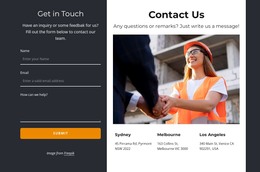
The collaboration message and contact groups make this block suitable for stable page content in a WordPress-managed site. “Get in Touch” gives the email and phone details a direct purpose, while “Address” separates location information into its own readable unit. The three social profile links form a compact supporting group beneath the address, so visitors can identify additional channels without searching through the introductory copy. These relationships give the section a defined contact role without requiring it to carry the rest of the page.
Visually, the text panel and image panel work together as a balanced page region. The dark charcoal field provides a consistent background for the white typography, and the yellow email accent creates a deliberate focal point within the contact details. The single large photograph supplies visual weight on the opposite side, preventing the section from becoming a dense column of contact information. In a WordPress-oriented project, this block can remain a reusable contact area on a stable page while other content is managed around it through the wider site structure.
Nicepage’s WordPress Theme, Plugin, and Pages workflow offers relevant product context for using designed page content in a WordPress project, while this section retains its own contact-focused function.
Customize with Nicepage
Open this ready-made template in the WordPress Website Builder and customize it visually in the Nicepage editor. Replace demo content, edit page sections, and adapt the design to your project without rebuilding the template from scratch.
Edit Template Offline
2. Create a new page or select existing
3. Click Add new block, search for id 523160 and click enter
Edit Template Online
Create Awesome Websites


Free Nicepage Builder
Keywords
Manage and Edit This Theme in WordPress
Customize and Install the WordPress Theme
Start with this ready-made theme instead of building the WordPress design from scratch. Customize its layout, content, typography, images, sections, and other design elements visually in Nicepage editor, then export and install the WordPress Theme, Plugin, and Pages on your WordPress site. The Nicepage WordPress Plugin lets you continue working with the site after installation.
Edit the Theme Directly in WordPress
After installation, you can edit the WordPress Theme directly in WordPress with the Nicepage WordPress Plugin. Use Site Style to customize site Colors, Fonts, Header, Footer, Blog, and Post Page Templates while working within your WordPress website.
Edit WordPress Pages Visually
Use the Nicepage WordPress Plugin to edit page content directly from the WordPress admin area. Open a WordPress Page with Nicepage and visually change its text, images, sections, and other page elements while continuing to manage the Page through WordPress.
WordPress Content and Theme Integration
Use the customized theme with WordPress Pages, Posts, Blog and Post Templates, menus, widgets, and other CMS-managed content. Shared theme elements such as Colors, Fonts, Header, Footer, Blog, and Post Page Templates can be managed as part of the overall site design, while WordPress provides the CMS environment for managing site content.
This workflow combines a ready-made WordPress Theme with visual customization, direct theme editing in WordPress, and continued content management through the Nicepage WordPress Plugin.