We create experiences that brands live by WordPress Theme


Edit Template Offline
2. Create new page and search for id 5204099
Edit Template Online
Create Awesome Websites


Free Nicepage Builder
Keywords
Profile Content Creates a WordPress-Friendly Team Structure
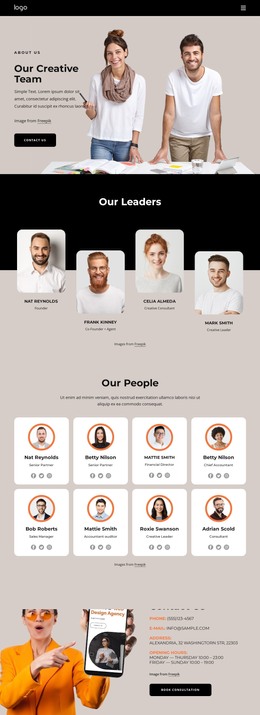
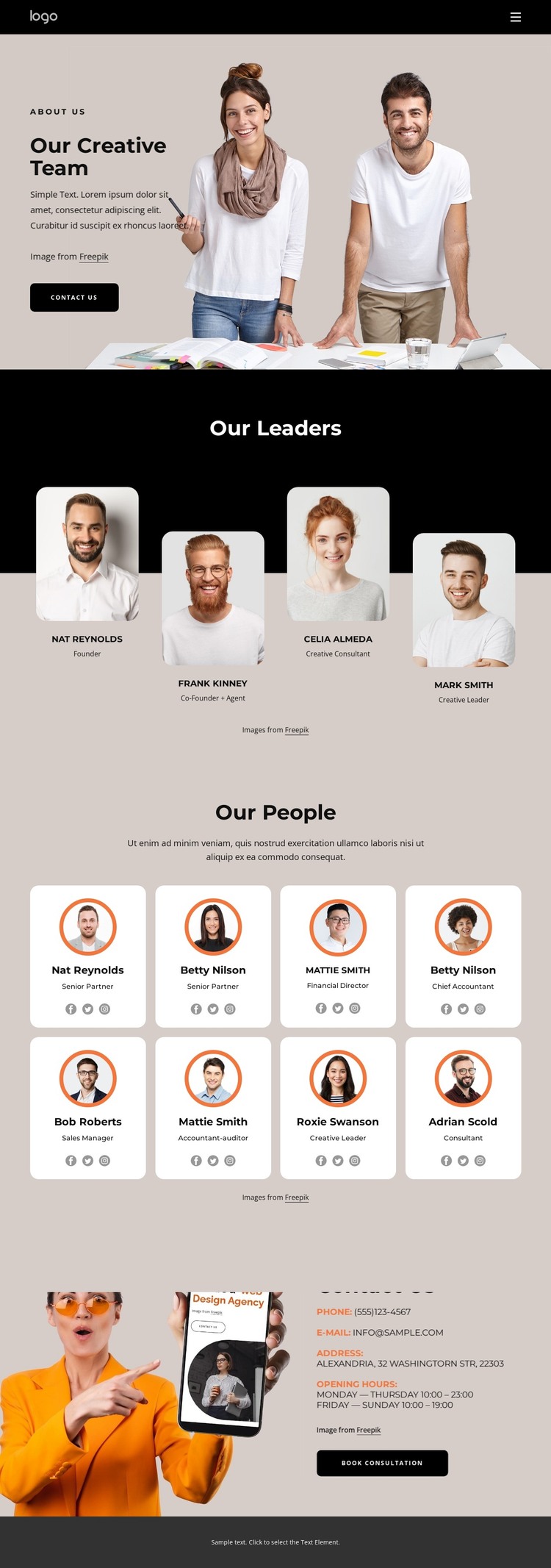
The four leader profiles and eight additional team cards provide two distinct content groups for a team-oriented WordPress site. Leadership can remain a focused page area, while the wider people directory uses a repeated card pattern with portraits, role labels, and social links. The design does not prove that WordPress Posts, categories, or blog content already exist, but its recurring profile structure offers clear page-oriented content areas that can be maintained as the team changes.
The opening introduction and final Contact Us section give those profiles a broader site context. A large team photograph and Contact Us button establish the page’s purpose, while phone, email, address, opening hours, and the Book Consultation action provide a practical response area. The black header and footer can frame shared site elements, with beige and white content surfaces preserving the visual distinction between introduction, people, and contact information. The orange contact image adds a separate emphasis at the end of the page, helping the response area stand apart from the portrait groups. Demo names and contact values are structural examples only. Their arrangement nevertheless shows how permanent team information and consultation-focused page content can remain within one coherent WordPress theme direction as editorial or additional site content is added later.
Customize with Nicepage
Open this ready-made template in the WordPress Website Builder and customize it visually in the Nicepage editor. Replace demo content, edit page sections, and adapt the design to your project without rebuilding the template from scratch.
Manage and Edit This Theme in WordPress
Customize and Install the WordPress Theme
Start with this ready-made theme instead of building the WordPress design from scratch. Customize its layout, content, typography, images, sections, and other design elements visually in Nicepage editor, then export and install the WordPress Theme, Plugin, and Pages on your WordPress site. The Nicepage WordPress Plugin lets you continue working with the site after installation.
Edit the Theme Directly in WordPress
After installation, you can edit the WordPress Theme directly in WordPress with the Nicepage WordPress Plugin. Use Site Style to customize site Colors, Fonts, Header, Footer, Blog, and Post Page Templates while working within your WordPress website.
Edit WordPress Pages Visually
Use the Nicepage WordPress Plugin to edit page content directly from the WordPress admin area. Open a WordPress Page with Nicepage and visually change its text, images, sections, and other page elements while continuing to manage the Page through WordPress.
WordPress Content and Theme Integration
Use the customized theme with WordPress Pages, Posts, Blog and Post Templates, menus, widgets, and other CMS-managed content. Shared theme elements such as Colors, Fonts, Header, Footer, Blog, and Post Page Templates can be managed as part of the overall site design, while WordPress provides the CMS environment for managing site content.
This workflow combines a ready-made WordPress Theme with visual customization, direct theme editing in WordPress, and continued content management through the Nicepage WordPress Plugin.