Quality and attractive designs WordPress Theme


Edit Template Offline
2. Create new page and search for id 5203901
Edit Template Online
Create Awesome Websites


Free Nicepage Builder
Keywords
Project Categories and Service Content Support a WordPress Theme
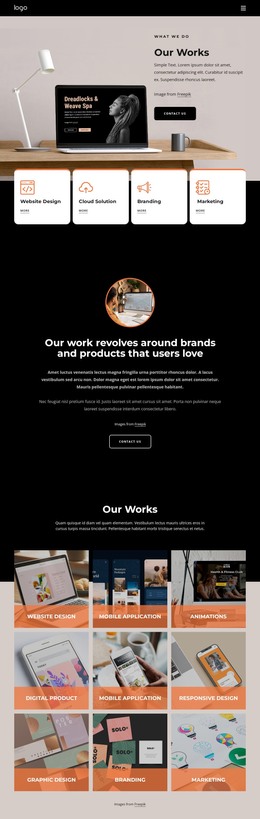
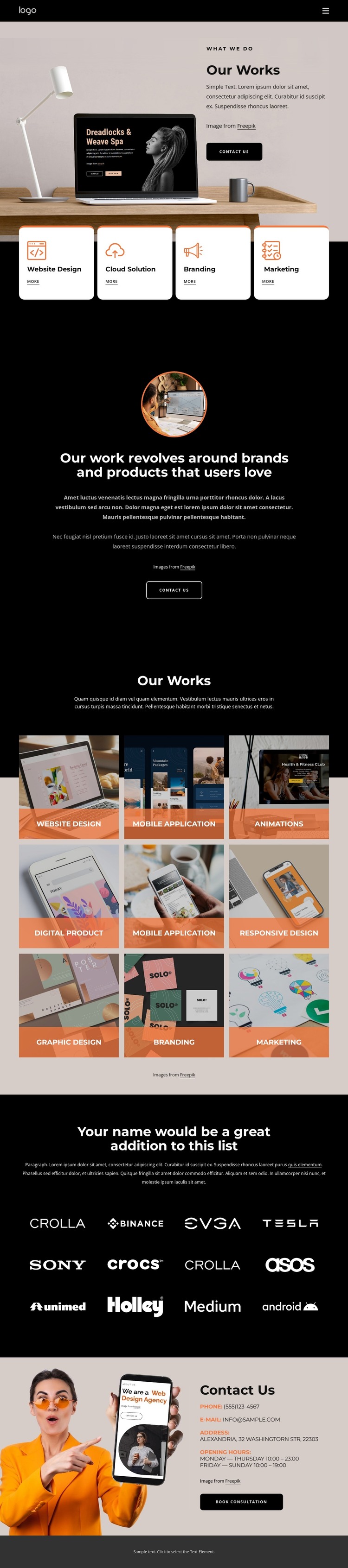
The four service cards create a clear page-oriented content group for Website Design, Cloud Solution, Branding, and Marketing. Their repeated layout can keep related service information visually consistent while the surrounding page remains focused on the studio’s work. The opening Our Works section adds a permanent introductory area, pairing a large image with concise copy and a Contact Us button so the theme has a defined entry point for its main content.
The nine-tile gallery is especially useful for interpreting the design through WordPress-managed project content. Its labels cover Website Design, Mobile Application, Animations, Digital Product, Responsive Design, Graphic Design, Branding, and Marketing, giving the page a visible structure for recurring work categories. The twelve-item brand-logo collection provides another content region that could support verified client or partner presentation later, but the supplied demo logos should not be treated as real relationships.
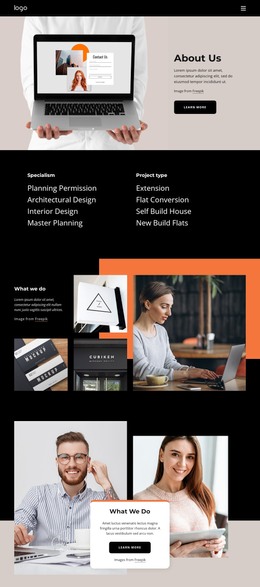
The centered About Us statement adds editorial context between services and work, while the final contact section gathers phone, email, address, opening-hours information, and the Book Consultation action. This combination suits a WordPress theme where permanent page content can remain connected to the visual system and future project or editorial material can be added around it. The interpretation depends on these distinct content areas, not merely on replacing the design’s platform name.
Customize with Nicepage
Open this ready-made template in the WordPress Website Builder and customize it visually in the Nicepage editor. Replace demo content, edit page sections, and adapt the design to your project without rebuilding the template from scratch.
Manage and Edit This Theme in WordPress
Customize and Install the WordPress Theme
Start with this ready-made theme instead of building the WordPress design from scratch. Customize its layout, content, typography, images, sections, and other design elements visually in Nicepage editor, then export and install the WordPress Theme, Plugin, and Pages on your WordPress site. The Nicepage WordPress Plugin lets you continue working with the site after installation.
Edit the Theme Directly in WordPress
After installation, you can edit the WordPress Theme directly in WordPress with the Nicepage WordPress Plugin. Use Site Style to customize site Colors, Fonts, Header, Footer, Blog, and Post Page Templates while working within your WordPress website.
Edit WordPress Pages Visually
Use the Nicepage WordPress Plugin to edit page content directly from the WordPress admin area. Open a WordPress Page with Nicepage and visually change its text, images, sections, and other page elements while continuing to manage the Page through WordPress.
WordPress Content and Theme Integration
Use the customized theme with WordPress Pages, Posts, Blog and Post Templates, menus, widgets, and other CMS-managed content. Shared theme elements such as Colors, Fonts, Header, Footer, Blog, and Post Page Templates can be managed as part of the overall site design, while WordPress provides the CMS environment for managing site content.
This workflow combines a ready-made WordPress Theme with visual customization, direct theme editing in WordPress, and continued content management through the Nicepage WordPress Plugin.