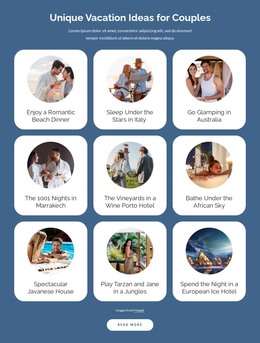
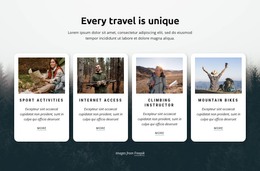
Active romantic tours WordPress Theme



The Active Tours Panel Works as Stable WordPress Page Content
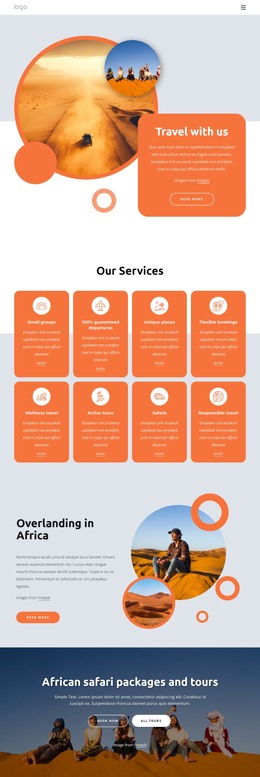
The large green panel and white “Active Tours” heading give this section a strong page-content identity before the visitor reaches the second column. A separate outdoor photograph on the right then introduces the supporting paragraph, visible Freepik attribution, and bordered rounded Learn more button. The arrangement moves from subject recognition to explanation and onward direction, while keeping the two photographs as the main visual emphasis. Because the supporting paragraph is generic placeholder-style copy, it can be replaced with the project’s approved tour description without changing the section’s internal logic.
For a WordPress-oriented site, this block can function as stable content on a page about active tours or related travel offerings. It is not dependent on a blog-post layout: the heading, images, paragraph, attribution, and button read as a lasting informational area that can sit among other page sections. The button may connect to fuller tour information, provided the surrounding project supplies that destination.
The block’s CMS context is therefore about maintaining a reusable page section, not expanding it into a complete theme. WordPress-managed pages can surround the section with other content, while the green-and-gray split and its image-to-text relationship remain intact. That separation makes the block practical when a travel site needs a visually prominent introduction that can be edited as part of permanent page content.
Customize with Nicepage
Open this ready-made template in the WordPress Website Builder and customize it visually in the Nicepage editor. Replace demo content, edit page sections, and adapt the design to your project without rebuilding the template from scratch.
Edit Template Offline
2. Create a new page or select existing
3. Click Add new block, search for id 443983 and click enter
Edit Template Online
Create Awesome Websites


Free Nicepage Builder
Keywords
Manage and Edit This Theme in WordPress
Customize and Install the WordPress Theme
Start with this ready-made theme instead of building the WordPress design from scratch. Customize its layout, content, typography, images, sections, and other design elements visually in Nicepage editor, then export and install the WordPress Theme, Plugin, and Pages on your WordPress site. The Nicepage WordPress Plugin lets you continue working with the site after installation.
Edit the Theme Directly in WordPress
After installation, you can edit the WordPress Theme directly in WordPress with the Nicepage WordPress Plugin. Use Site Style to customize site Colors, Fonts, Header, Footer, Blog, and Post Page Templates while working within your WordPress website.
Edit WordPress Pages Visually
Use the Nicepage WordPress Plugin to edit page content directly from the WordPress admin area. Open a WordPress Page with Nicepage and visually change its text, images, sections, and other page elements while continuing to manage the Page through WordPress.
WordPress Content and Theme Integration
Use the customized theme with WordPress Pages, Posts, Blog and Post Templates, menus, widgets, and other CMS-managed content. Shared theme elements such as Colors, Fonts, Header, Footer, Blog, and Post Page Templates can be managed as part of the overall site design, while WordPress provides the CMS environment for managing site content.
This workflow combines a ready-made WordPress Theme with visual customization, direct theme editing in WordPress, and continued content management through the Nicepage WordPress Plugin.