They worked great WordPress Theme



A Stable Customer-Proof Section for WordPress Page Content
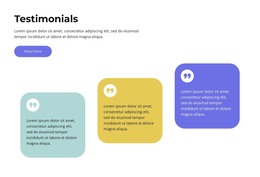
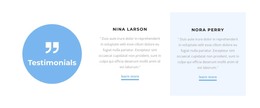
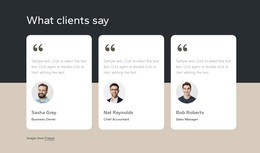
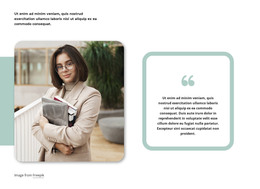
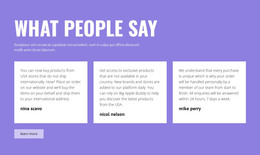
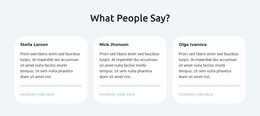
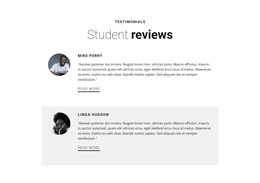
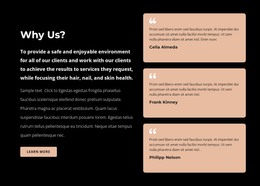
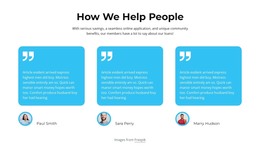
The large rounded card gives the endorsement a defined content container, while the overlapping portrait adds a visible speaker reference before the quote begins. The circular quotation mark acts as a compact signal for the content type, and the customer name completes the attribution beneath or beside the statement. Together, these elements make the block read as permanent testimonial content rather than a generic promotional paragraph or a rotating feed of reviews.
For a WordPress-oriented project, this section can fit naturally into a page that publishes service information and supporting customer experiences. Its static interaction means the quote remains available without relying on carousel controls, and the generous white space helps it sit between denser page sections. The purple-blue card and white type provide a self-contained visual treatment that can remain consistent even as surrounding page content changes. The displayed agency name and speaker are sample content; the reusable value is the arrangement of portrait, quote, quotation icon, and attribution.
This WordPress Theme interpretation focuses on how the block can participate as a stable, publishable page region within a broader CMS-managed site. A services page might place it after an explanation of the offer, while a case-study or contact section could follow. The block contributes one recognizable trust element without being treated as a complete WordPress Theme or an entire website.
Customize with Nicepage
Open this ready-made template in the WordPress Website Builder and customize it visually in the Nicepage editor. Replace demo content, edit page sections, and adapt the design to your project without rebuilding the template from scratch.
Edit Template Offline
2. Create a new page or select existing
3. Click Add new block, search for id 4333712 and click enter
Edit Template Online
Create Awesome Websites


Free Nicepage Builder
Keywords
Manage and Edit This Theme in WordPress
Customize and Install the WordPress Theme
Start with this ready-made theme instead of building the WordPress design from scratch. Customize its layout, content, typography, images, sections, and other design elements visually in Nicepage editor, then export and install the WordPress Theme, Plugin, and Pages on your WordPress site. The Nicepage WordPress Plugin lets you continue working with the site after installation.
Edit the Theme Directly in WordPress
After installation, you can edit the WordPress Theme directly in WordPress with the Nicepage WordPress Plugin. Use Site Style to customize site Colors, Fonts, Header, Footer, Blog, and Post Page Templates while working within your WordPress website.
Edit WordPress Pages Visually
Use the Nicepage WordPress Plugin to edit page content directly from the WordPress admin area. Open a WordPress Page with Nicepage and visually change its text, images, sections, and other page elements while continuing to manage the Page through WordPress.
WordPress Content and Theme Integration
Use the customized theme with WordPress Pages, Posts, Blog and Post Templates, menus, widgets, and other CMS-managed content. Shared theme elements such as Colors, Fonts, Header, Footer, Blog, and Post Page Templates can be managed as part of the overall site design, while WordPress provides the CMS environment for managing site content.
This workflow combines a ready-made WordPress Theme with visual customization, direct theme editing in WordPress, and continued content management through the Nicepage WordPress Plugin.