Exclusive rings WordPress Theme


A Product-Led Content Area for WordPress Pages
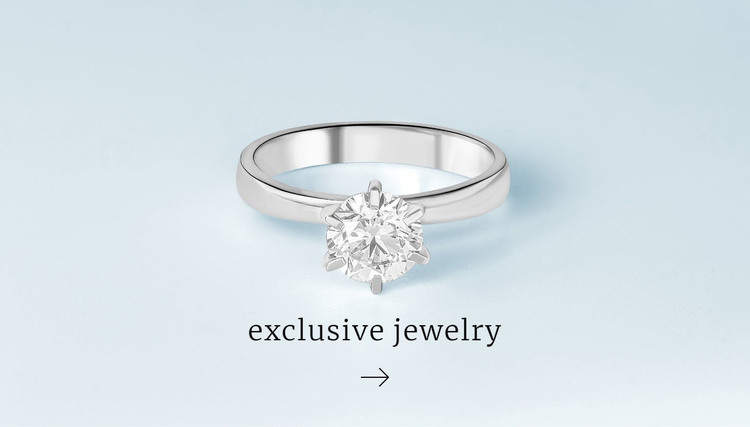
The silver ring and central gemstone give this section a clear subject that can remain recognizable when placed among other page content. The centered “exclusive jewelry” heading works as a concise page message, and the pale blue-white background separates the product presentation from denser neighboring sections. Dark serif typography reinforces the refined tone, while the directional arrow adds a small visual continuation cue without introducing a confirmed button or form. The result is a compact content area organized around one product image and one supporting label.
In a WordPress-managed page, the block can serve as stable visual content for a jewelry or fashion presentation while the wider project handles additional pages and editorial areas. Its simple structure is suitable for a section that introduces a collection or creates an image-led pause before more detailed information. The static interaction keeps the content easy to understand: visitors see the ring first, read the centered heading next, and then follow the downward visual rhythm suggested by the arrow. The section can retain this arrangement while surrounding WordPress content changes, allowing the product-focused design to remain a consistent part of the page’s visual direction.
Customize with Nicepage
Open this ready-made template in the WordPress Website Builder and customize it visually in the Nicepage editor. Replace demo content, edit page sections, and adapt the design to your project without rebuilding the template from scratch.
Edit Template Offline
2. Create a new page or select existing
3. Click Add new block, search for id 427147 and click enter
Edit Template Online
Create Awesome Websites


Free Nicepage Builder
Keywords
Manage and Edit This Theme in WordPress
Customize and Install the WordPress Theme
Start with this ready-made theme instead of building the WordPress design from scratch. Customize its layout, content, typography, images, sections, and other design elements visually in Nicepage editor, then export and install the WordPress Theme, Plugin, and Pages on your WordPress site. The Nicepage WordPress Plugin lets you continue working with the site after installation.
Edit the Theme Directly in WordPress
After installation, you can edit the WordPress Theme directly in WordPress with the Nicepage WordPress Plugin. Use Site Style to customize site Colors, Fonts, Header, Footer, Blog, and Post Page Templates while working within your WordPress website.
Edit WordPress Pages Visually
Use the Nicepage WordPress Plugin to edit page content directly from the WordPress admin area. Open a WordPress Page with Nicepage and visually change its text, images, sections, and other page elements while continuing to manage the Page through WordPress.
WordPress Content and Theme Integration
Use the customized theme with WordPress Pages, Posts, Blog and Post Templates, menus, widgets, and other CMS-managed content. Shared theme elements such as Colors, Fonts, Header, Footer, Blog, and Post Page Templates can be managed as part of the overall site design, while WordPress provides the CMS environment for managing site content.
This workflow combines a ready-made WordPress Theme with visual customization, direct theme editing in WordPress, and continued content management through the Nicepage WordPress Plugin.