We specialise in crafting creative design WordPress Theme


Three Ordered Content Points Fit Stable WordPress Page Content
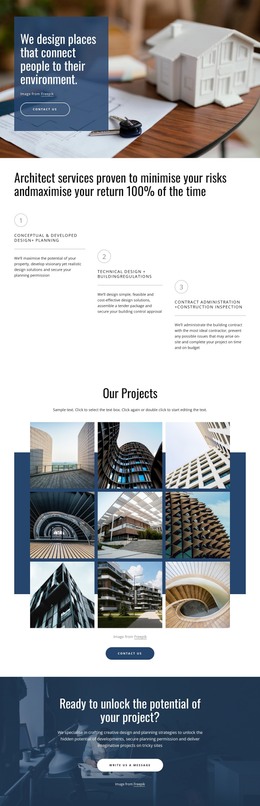
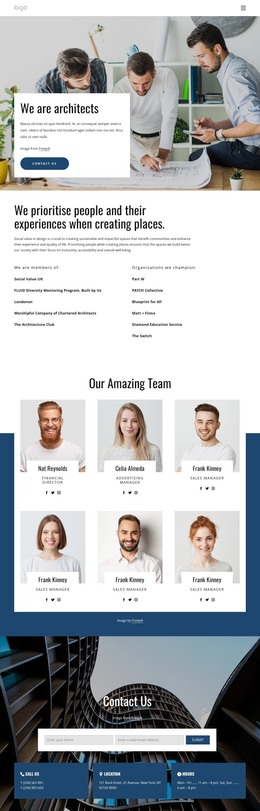
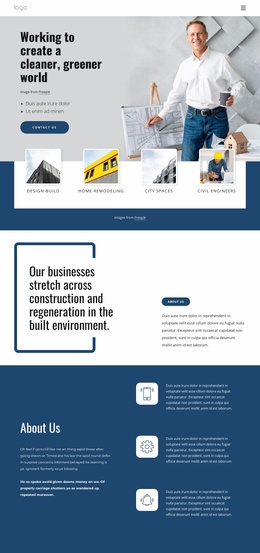
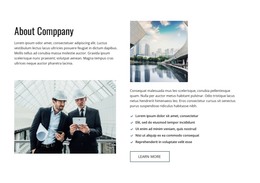
The three cards give this block a durable page-content role: each numbered item can hold one part of a process or feature explanation, while the construction-planning photograph provides a shared visual setting. The labels 01, 02, and 03 make the order immediately legible, and the multi-line paragraphs leave room for supporting detail rather than reducing the section to short captions. In a WordPress-managed page, this makes the block suitable for a stable informational area within a wider content layout.
Its composition is deliberately concentrated. One full-width image spans the section, and the horizontal card row overlays the lower portion instead of separating the visual and written material into unrelated areas. Alternating light blue, pale blue, and dark blue card fills help readers distinguish the three content points, while consistent spacing and padding maintain a repeatable visual pattern. The static interaction means the complete set remains available without requiring visitors to activate a carousel or expand hidden content.
Within a broader WordPress project, the section can sit alongside other page content while preserving its own visual and informational role. It can contribute a process overview or feature group without implying that WordPress posts, categories, or other CMS items are already part of the block. The surrounding page remains responsible for the larger publishing structure, while this section supplies one organized, image-supported content area.
Customize with Nicepage
Open this ready-made template in the WordPress Website Builder and customize it visually in the Nicepage editor. Replace demo content, edit page sections, and adapt the design to your project without rebuilding the template from scratch.
Edit Template Offline
2. Create a new page or select existing
3. Click Add new block, search for id 4258843 and click enter
Edit Template Online
Create Awesome Websites


Free Nicepage Builder
Keywords
Manage and Edit This Theme in WordPress
Customize and Install the WordPress Theme
Start with this ready-made theme instead of building the WordPress design from scratch. Customize its layout, content, typography, images, sections, and other design elements visually in Nicepage editor, then export and install the WordPress Theme, Plugin, and Pages on your WordPress site. The Nicepage WordPress Plugin lets you continue working with the site after installation.
Edit the Theme Directly in WordPress
After installation, you can edit the WordPress Theme directly in WordPress with the Nicepage WordPress Plugin. Use Site Style to customize site Colors, Fonts, Header, Footer, Blog, and Post Page Templates while working within your WordPress website.
Edit WordPress Pages Visually
Use the Nicepage WordPress Plugin to edit page content directly from the WordPress admin area. Open a WordPress Page with Nicepage and visually change its text, images, sections, and other page elements while continuing to manage the Page through WordPress.
WordPress Content and Theme Integration
Use the customized theme with WordPress Pages, Posts, Blog and Post Templates, menus, widgets, and other CMS-managed content. Shared theme elements such as Colors, Fonts, Header, Footer, Blog, and Post Page Templates can be managed as part of the overall site design, while WordPress provides the CMS environment for managing site content.
This workflow combines a ready-made WordPress Theme with visual customization, direct theme editing in WordPress, and continued content management through the Nicepage WordPress Plugin.