Our achievements WordPress Theme


Four Stable Summary Units Fit a WordPress-Managed Page Section
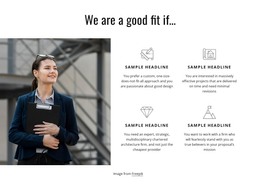
The full-width workplace photograph and the four repeated counter cards read as stable page content rather than a time-sensitive editorial stream. The image establishes the section’s context, while the cards organize four compact summary units with labels for Happy Customers, Project Completed, Cups Of Coffee, and awards. Their shared yellow panels, white circular outlines, and centered white typography create a consistent visual pattern that can remain recognizable when the section is placed within a wider WordPress-managed page.
This makes the block suitable for a permanent achievement or statistics area alongside other page content. The surrounding project can handle additional sections and publishing needs, while this reusable visual region continues to present its own focused message. The sample numbers should be replaced with the final project’s appropriate content; the block’s structural value comes from the repeated counter model and the image-to-card relationship, not from treating the displayed figures as established results. The small centered credit line can remain as subordinate attribution beneath the cards. Since no blog, post, category, or other editorial component is shown, the most natural WordPress interpretation is stable page content with a defined visual layout. The section participates in a broader CMS-managed site without becoming a standalone WordPress Theme or containing site-wide structure.
Customize with Nicepage
Open this ready-made template in the WordPress Website Builder and customize it visually in the Nicepage editor. Replace demo content, edit page sections, and adapt the design to your project without rebuilding the template from scratch.
Edit Template Offline
2. Create a new page or select existing
3. Click Add new block, search for id 1362705 and click enter
Edit Template Online
Create Awesome Websites


Free Nicepage Builder
Keywords
Manage and Edit This Theme in WordPress
Customize and Install the WordPress Theme
Start with this ready-made theme instead of building the WordPress design from scratch. Customize its layout, content, typography, images, sections, and other design elements visually in Nicepage editor, then export and install the WordPress Theme, Plugin, and Pages on your WordPress site. The Nicepage WordPress Plugin lets you continue working with the site after installation.
Edit the Theme Directly in WordPress
After installation, you can edit the WordPress Theme directly in WordPress with the Nicepage WordPress Plugin. Use Site Style to customize site Colors, Fonts, Header, Footer, Blog, and Post Page Templates while working within your WordPress website.
Edit WordPress Pages Visually
Use the Nicepage WordPress Plugin to edit page content directly from the WordPress admin area. Open a WordPress Page with Nicepage and visually change its text, images, sections, and other page elements while continuing to manage the Page through WordPress.
WordPress Content and Theme Integration
Use the customized theme with WordPress Pages, Posts, Blog and Post Templates, menus, widgets, and other CMS-managed content. Shared theme elements such as Colors, Fonts, Header, Footer, Blog, and Post Page Templates can be managed as part of the overall site design, while WordPress provides the CMS environment for managing site content.
This workflow combines a ready-made WordPress Theme with visual customization, direct theme editing in WordPress, and continued content management through the Nicepage WordPress Plugin.