Text in grid WordPress Theme


Numbered Content Creates a Stable WordPress Page Section
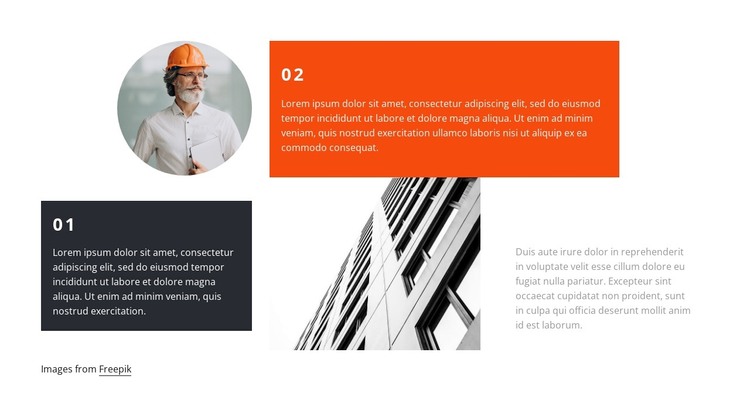
The dark 01 panel and orange 02 panel organize the section as two related content points rather than as a single uninterrupted text column. That structure fits stable, page-oriented content in a WordPress-managed site: the numbered areas can present an ordered explanation, concept, or set of observations while the surrounding project handles broader navigation and additional page content. The block remains one reusable visual section, not a complete WordPress Theme.
The imagery gives the text arrangement a specific visual context. A circular portrait sits above the first panel, creating a compact focal shape, while the vertically cropped architectural photograph occupies the central space between the numbered areas. The muted paragraph on the right provides room for supporting explanation without competing with the stronger charcoal and orange surfaces. Large whitespace and asymmetrical alignment keep the content readable even though the composition uses three columns and several distinct visual weights.
For WordPress page content, this arrangement is suited to a section that should remain visually consistent while its explanatory copy and images are maintained as part of a larger site. The 01 and 02 labels make the sequence easy to recognize, while the static interaction keeps the content available directly rather than hiding it behind tabs, a slider, or expanding controls. The visible image credit can remain with the section when attribution is needed.
Customize with Nicepage
Open this ready-made template in the WordPress Website Builder and customize it visually in the Nicepage editor. Replace demo content, edit page sections, and adapt the design to your project without rebuilding the template from scratch.
Edit Template Offline
2. Create a new page or select existing
3. Click Add new block, search for id 1383435 and click enter
Edit Template Online
Create Awesome Websites


Free Nicepage Builder
Keywords
Manage and Edit This Theme in WordPress
Customize and Install the WordPress Theme
Start with this ready-made theme instead of building the WordPress design from scratch. Customize its layout, content, typography, images, sections, and other design elements visually in Nicepage editor, then export and install the WordPress Theme, Plugin, and Pages on your WordPress site. The Nicepage WordPress Plugin lets you continue working with the site after installation.
Edit the Theme Directly in WordPress
After installation, you can edit the WordPress Theme directly in WordPress with the Nicepage WordPress Plugin. Use Site Style to customize site Colors, Fonts, Header, Footer, Blog, and Post Page Templates while working within your WordPress website.
Edit WordPress Pages Visually
Use the Nicepage WordPress Plugin to edit page content directly from the WordPress admin area. Open a WordPress Page with Nicepage and visually change its text, images, sections, and other page elements while continuing to manage the Page through WordPress.
WordPress Content and Theme Integration
Use the customized theme with WordPress Pages, Posts, Blog and Post Templates, menus, widgets, and other CMS-managed content. Shared theme elements such as Colors, Fonts, Header, Footer, Blog, and Post Page Templates can be managed as part of the overall site design, while WordPress provides the CMS environment for managing site content.
This workflow combines a ready-made WordPress Theme with visual customization, direct theme editing in WordPress, and continued content management through the Nicepage WordPress Plugin.