Our clients and subscription growth WordPress Theme


Stable Client Content for a WordPress-Managed Page
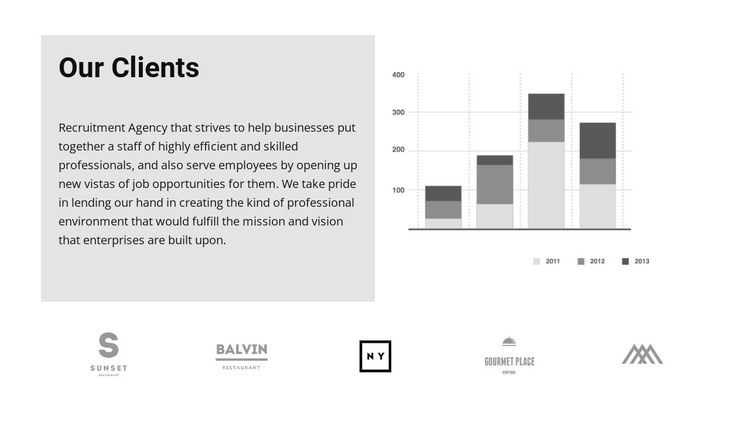
The heading and supporting paragraph read as durable page content rather than a time-sensitive editorial item. They introduce the agency’s relationship with businesses and employees, while the adjacent stacked grayscale chart adds a visual reference through its 2011, 2012, and 2013 labels. The light gray panel gives the explanatory copy a defined content region, and the white space around the chart keeps the upper row easy to scan. Together, these areas can function as a stable client or partner section within a WordPress-managed page.
The five logo marks beneath the row provide a second content group with a different publishing role: they summarize client or partner recognition without competing with the explanatory copy. SUNSET, BALVIN, NY, GOURMET PLACE, and the additional monogram are displayed marks in the design; their presence does not turn the section into a verified customer database or require an assumption about WordPress posts, categories, or widgets. In a WordPress-oriented project, the block can remain part of permanent page content while other CMS-managed areas surround it. Its visual pattern may be maintained as the page evolves, with the broader theme handling site-level styling and structure beyond this reusable section.
Customize with Nicepage
Open this ready-made template in the WordPress Website Builder and customize it visually in the Nicepage editor. Replace demo content, edit page sections, and adapt the design to your project without rebuilding the template from scratch.
Edit Template Offline
2. Create a new page or select existing
3. Click Add new block, search for id 385372 and click enter
Edit Template Online
Create Awesome Websites


Free Nicepage Builder
Keywords
Manage and Edit This Theme in WordPress
Customize and Install the WordPress Theme
Start with this ready-made theme instead of building the WordPress design from scratch. Customize its layout, content, typography, images, sections, and other design elements visually in Nicepage editor, then export and install the WordPress Theme, Plugin, and Pages on your WordPress site. The Nicepage WordPress Plugin lets you continue working with the site after installation.
Edit the Theme Directly in WordPress
After installation, you can edit the WordPress Theme directly in WordPress with the Nicepage WordPress Plugin. Use Site Style to customize site Colors, Fonts, Header, Footer, Blog, and Post Page Templates while working within your WordPress website.
Edit WordPress Pages Visually
Use the Nicepage WordPress Plugin to edit page content directly from the WordPress admin area. Open a WordPress Page with Nicepage and visually change its text, images, sections, and other page elements while continuing to manage the Page through WordPress.
WordPress Content and Theme Integration
Use the customized theme with WordPress Pages, Posts, Blog and Post Templates, menus, widgets, and other CMS-managed content. Shared theme elements such as Colors, Fonts, Header, Footer, Blog, and Post Page Templates can be managed as part of the overall site design, while WordPress provides the CMS environment for managing site content.
This workflow combines a ready-made WordPress Theme with visual customization, direct theme editing in WordPress, and continued content management through the Nicepage WordPress Plugin.