Visual communication WordPress Theme


Stable Portfolio Content With a Clear Page-Oriented Structure
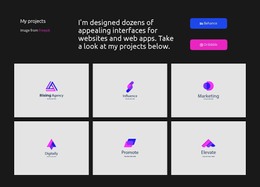
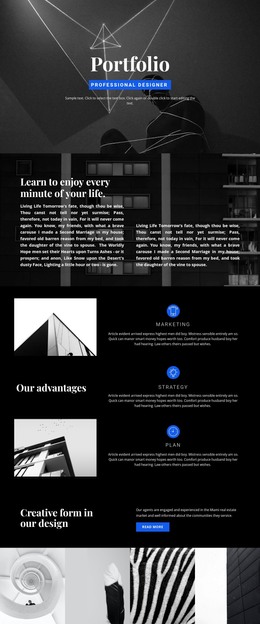
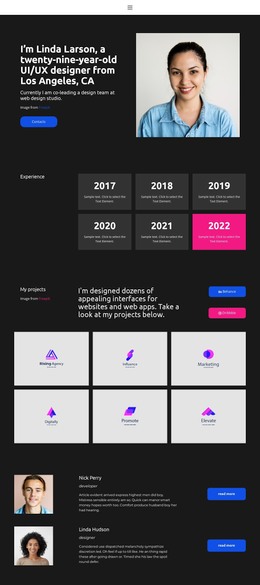
The section reads as durable portfolio content rather than a time-sensitive stream. “My projects” identifies the area, and the central statement explains the design focus on websites and web apps. The left-side attribution and the two stacked Behance and Dribbble buttons support that message by providing context and external profile destinations. In a WordPress-managed page, this makes the block suitable for a stable portfolio or work-showcase area surrounded by other page content.
The six project marks create a second content group with a consistent visual pattern. Rising Agency, Influence, Marketing, Digitally, Promote, and Elevate are centered inside light-gray tiles arranged in three columns and two rows. The repeated arrangement makes the collection easy to maintain as a coherent page section, while the individual labels retain their separate identities. The static presentation keeps attention on the project marks rather than requiring a complex interaction model.
The dark charcoal background, white type, and bright blue and magenta buttons provide the section’s visual direction inside the page. A WordPress-oriented use case can treat this block as reusable publishable content within a broader design system, while the surrounding project manages other pages and editorial areas. The block itself contributes the portfolio message, six-item image collection, and external profile paths without becoming a complete theme.
Customize with Nicepage
Open this ready-made template in the WordPress Website Builder and customize it visually in the Nicepage editor. Replace demo content, edit page sections, and adapt the design to your project without rebuilding the template from scratch.
Edit Template Offline
2. Create a new page or select existing
3. Click Add new block, search for id 3433778 and click enter
Edit Template Online
Create Awesome Websites


Free Nicepage Builder
Keywords
Manage and Edit This Theme in WordPress
Customize and Install the WordPress Theme
Start with this ready-made theme instead of building the WordPress design from scratch. Customize its layout, content, typography, images, sections, and other design elements visually in Nicepage editor, then export and install the WordPress Theme, Plugin, and Pages on your WordPress site. The Nicepage WordPress Plugin lets you continue working with the site after installation.
Edit the Theme Directly in WordPress
After installation, you can edit the WordPress Theme directly in WordPress with the Nicepage WordPress Plugin. Use Site Style to customize site Colors, Fonts, Header, Footer, Blog, and Post Page Templates while working within your WordPress website.
Edit WordPress Pages Visually
Use the Nicepage WordPress Plugin to edit page content directly from the WordPress admin area. Open a WordPress Page with Nicepage and visually change its text, images, sections, and other page elements while continuing to manage the Page through WordPress.
WordPress Content and Theme Integration
Use the customized theme with WordPress Pages, Posts, Blog and Post Templates, menus, widgets, and other CMS-managed content. Shared theme elements such as Colors, Fonts, Header, Footer, Blog, and Post Page Templates can be managed as part of the overall site design, while WordPress provides the CMS environment for managing site content.
This workflow combines a ready-made WordPress Theme with visual customization, direct theme editing in WordPress, and continued content management through the Nicepage WordPress Plugin.