How to order cleaning WordPress Theme


Call and booking content gives a WordPress page section two clear roles
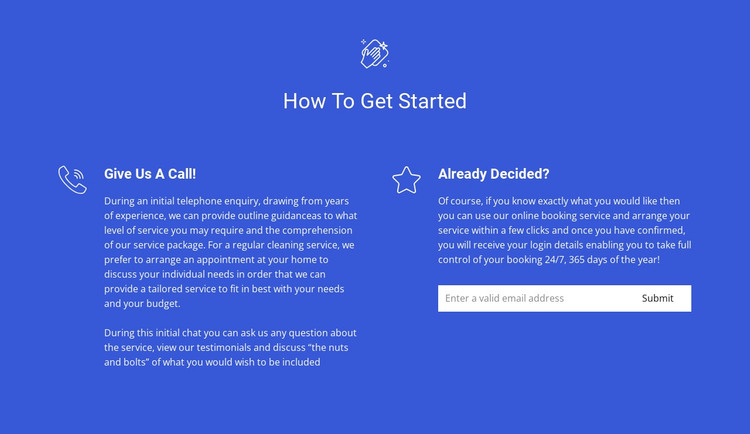
The block’s content is organized around two practical ways to start a cleaning service. The centered “How To Get Started” heading establishes the subject, then the two-column layout separates the alternatives without making either one subordinate. “Give Us A Call!” describes the initial telephone enquiry and the conversation about service requirements. “Already Decided?” takes a more direct route by explaining online booking and placing an email input with a submit control below the text.
For a WordPress-managed page, this arrangement reads as stable service content rather than a time-sensitive article. The headings and explanatory paragraphs can remain part of a services or enquiry area, while the form provides a focused place for visitors to submit an email through the online route. The telephone option adds a human discussion path, so the section can address visitors who are ready to book as well as those who need to clarify their requirements first.
The visual treatment supports that content relationship. A blue full-width background creates one recognizable area, white typography maintains contrast, and line icons distinguish the two routes while keeping them visually related. The centered introduction and generous spacing prevent the form from overwhelming the explanatory content. Used within a WordPress project, the block can sit alongside other page sections and CMS-managed content while retaining its own cleaning-service purpose; it is not itself a complete WordPress theme.
Customize with Nicepage
Open this ready-made template in the WordPress Website Builder and customize it visually in the Nicepage editor. Replace demo content, edit page sections, and adapt the design to your project without rebuilding the template from scratch.
Edit Template Offline
2. Create a new page or select existing
3. Click Add new block, search for id 323878 and click enter
Edit Template Online
Create Awesome Websites


Free Nicepage Builder
Keywords
Manage and Edit This Theme in WordPress
Customize and Install the WordPress Theme
Start with this ready-made theme instead of building the WordPress design from scratch. Customize its layout, content, typography, images, sections, and other design elements visually in Nicepage editor, then export and install the WordPress Theme, Plugin, and Pages on your WordPress site. The Nicepage WordPress Plugin lets you continue working with the site after installation.
Edit the Theme Directly in WordPress
After installation, you can edit the WordPress Theme directly in WordPress with the Nicepage WordPress Plugin. Use Site Style to customize site Colors, Fonts, Header, Footer, Blog, and Post Page Templates while working within your WordPress website.
Edit WordPress Pages Visually
Use the Nicepage WordPress Plugin to edit page content directly from the WordPress admin area. Open a WordPress Page with Nicepage and visually change its text, images, sections, and other page elements while continuing to manage the Page through WordPress.
WordPress Content and Theme Integration
Use the customized theme with WordPress Pages, Posts, Blog and Post Templates, menus, widgets, and other CMS-managed content. Shared theme elements such as Colors, Fonts, Header, Footer, Blog, and Post Page Templates can be managed as part of the overall site design, while WordPress provides the CMS environment for managing site content.
This workflow combines a ready-made WordPress Theme with visual customization, direct theme editing in WordPress, and continued content management through the Nicepage WordPress Plugin.