Independent design studio WordPress Theme


Four Structured Feature Items for Stable Page Content
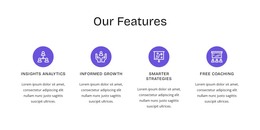
The four repeated cards provide a clear content model for a WordPress-managed page: each item has an icon treatment, a heading, and descriptive copy, while the large laptop image supplies the visual introduction above them. This makes the section suitable for relatively stable capabilities or benefit information that belongs with the page’s main subject. The cards remain separate enough to be understood as individual content units, yet their shared styling keeps them visually connected.
The centered Read More button adds a page-level continuation point for visitors who need fuller explanations. It can lead to related information within the wider site, while the block itself continues to present the same four highlights as one coherent section. The cool gray background separates this content area from neighboring page material, and the white overlapping cards provide a strong surface for readable text. In a WordPress-oriented project, the section can therefore function as permanent visual page content around which other managed material is arranged. The interpretation depends on the block’s actual content pattern rather than assuming blog posts, categories, or other publishing structures. Its main contribution is a stable, reusable feature presentation with a clear image-to-content relationship and a restrained action beneath it.
Customize with Nicepage
Open this ready-made template in the WordPress Website Builder and customize it visually in the Nicepage editor. Replace demo content, edit page sections, and adapt the design to your project without rebuilding the template from scratch.
Edit Template Offline
2. Create a new page or select existing
3. Click Add new block, search for id 72168 and click enter
Edit Template Online
Create Awesome Websites


Free Nicepage Builder
Keywords
Manage and Edit This Theme in WordPress
Customize and Install the WordPress Theme
Start with this ready-made theme instead of building the WordPress design from scratch. Customize its layout, content, typography, images, sections, and other design elements visually in Nicepage editor, then export and install the WordPress Theme, Plugin, and Pages on your WordPress site. The Nicepage WordPress Plugin lets you continue working with the site after installation.
Edit the Theme Directly in WordPress
After installation, you can edit the WordPress Theme directly in WordPress with the Nicepage WordPress Plugin. Use Site Style to customize site Colors, Fonts, Header, Footer, Blog, and Post Page Templates while working within your WordPress website.
Edit WordPress Pages Visually
Use the Nicepage WordPress Plugin to edit page content directly from the WordPress admin area. Open a WordPress Page with Nicepage and visually change its text, images, sections, and other page elements while continuing to manage the Page through WordPress.
WordPress Content and Theme Integration
Use the customized theme with WordPress Pages, Posts, Blog and Post Templates, menus, widgets, and other CMS-managed content. Shared theme elements such as Colors, Fonts, Header, Footer, Blog, and Post Page Templates can be managed as part of the overall site design, while WordPress provides the CMS environment for managing site content.
This workflow combines a ready-made WordPress Theme with visual customization, direct theme editing in WordPress, and continued content management through the Nicepage WordPress Plugin.