The Family support and education center WordPress Theme

Edit Template Offline
2. Create new page and search for id 6087476
Edit Template Online
Create Awesome Websites


Free Nicepage Builder
Keywords
Program pages and class content can share one education-focused theme
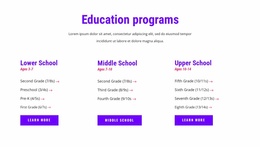
The three school-level columns provide a useful page-oriented starting point for WordPress content. Lower School, Middle School, and Upper School are presented as related but separate choices, so each can lead to its own page or maintained information area without losing the common visual direction. Their Learn More actions reinforce that relationship while keeping the current page focused on discovery rather than claiming that separate pages already exist.
The six online class entries offer a different kind of content relationship. Subjects such as Free Online Math Class, English Language, Coding with Minecraft, Motion Animation, and Drawing with Us can be treated as recurring educational content that sits alongside the more permanent school-level information. The social band, labeled around Programs, Events & Updates, creates another natural place for regularly refreshed communication. These interpretations describe possible content organization; the source does not verify WordPress Posts, categories, or a blog structure.
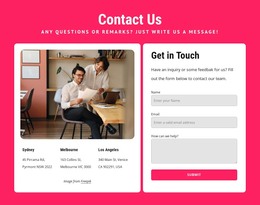
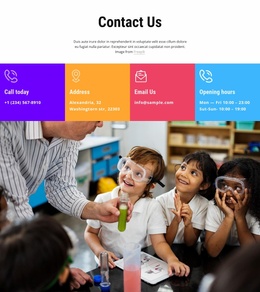
Testimonials and the four counter items provide supporting sections, while the contact area collects telephone, address, email, and opening-hours channels into a recognizable closing region. The purple footer and navigation can frame those page areas as shared site elements. A Nicepage WordPress Plugin can provide an implementation bridge, but the theme’s strongest CMS relevance comes from the distinction between lasting program information, repeatable class content, community updates, and contact details.
Customize with Nicepage
Open this ready-made template in the WordPress Website Builder and customize it visually in the Nicepage editor. Replace demo content, edit page sections, and adapt the design to your project without rebuilding the template from scratch.
Manage and Edit This Theme in WordPress
Customize and Install the WordPress Theme
Start with this ready-made theme instead of building the WordPress design from scratch. Customize its layout, content, typography, images, sections, and other design elements visually in Nicepage editor, then export and install the WordPress Theme, Plugin, and Pages on your WordPress site. The Nicepage WordPress Plugin lets you continue working with the site after installation.
Edit the Theme Directly in WordPress
After installation, you can edit the WordPress Theme directly in WordPress with the Nicepage WordPress Plugin. Use Site Style to customize site Colors, Fonts, Header, Footer, Blog, and Post Page Templates while working within your WordPress website.
Edit WordPress Pages Visually
Use the Nicepage WordPress Plugin to edit page content directly from the WordPress admin area. Open a WordPress Page with Nicepage and visually change its text, images, sections, and other page elements while continuing to manage the Page through WordPress.
WordPress Content and Theme Integration
Use the customized theme with WordPress Pages, Posts, Blog and Post Templates, menus, widgets, and other CMS-managed content. Shared theme elements such as Colors, Fonts, Header, Footer, Blog, and Post Page Templates can be managed as part of the overall site design, while WordPress provides the CMS environment for managing site content.
This workflow combines a ready-made WordPress Theme with visual customization, direct theme editing in WordPress, and continued content management through the Nicepage WordPress Plugin.