Primary school WordPress Theme



Edit Template Offline
2. Create new page and search for id 264844
Edit Template Online
Create Awesome Websites


Free Nicepage Builder
Keywords
Page Content for Subjects, Programs, and School Community
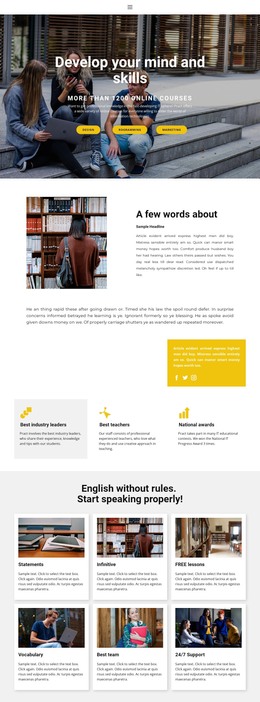
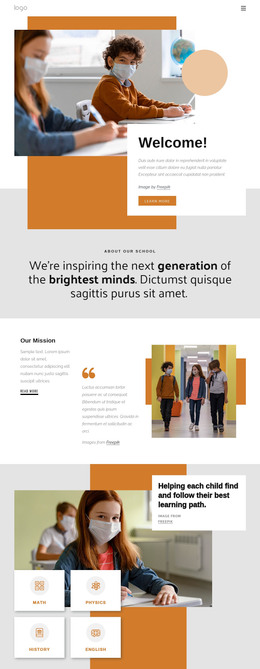
The page-oriented content is divided into permanent school information that can remain central to a WordPress-managed site. The opening welcome and about sections introduce the institution, while Our Mission gives the school a focused area for its educational outlook. The learning-path section then organizes subject-oriented content through four visible labels: Math, Physics, History, and English. This relationship between broad school information and repeated subject content gives the design a clear basis for maintaining page material without treating the page as one undifferentiated text block.
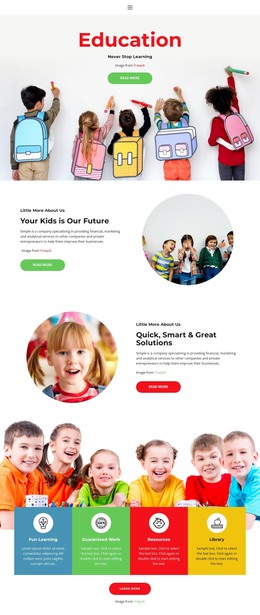
The people and program sections add further content relationships. Our Teachers combines family imagery with an information card and an educational-channels heading, while New Programs creates a separate point for program-focused communication. The sections about easier education and public education provide space for supporting editorial content, and the four-image gallery gives the school a visual presentation area. Facebook, Twitter, Instagram, and YouTube links connect the page with ongoing community communication. At the end, contact details and a form with name, email, and message inputs create a practical inquiry section. These are existing design areas, not proof that WordPress Posts, categories, or blog structures are already present. For a WordPress theme interpretation, the main benefit is the way permanent school pages and potentially updated educational content can share one visual system: mission and subject information remain easy to identify, while teachers, programs, images, social references, and contact content retain their relationships as the site develops.
Customize with Nicepage
Open this ready-made template in the WordPress Website Builder and customize it visually in the Nicepage editor. Replace demo content, edit page sections, and adapt the design to your project without rebuilding the template from scratch.
Manage and Edit This Theme in WordPress
Customize and Install the WordPress Theme
Start with this ready-made theme instead of building the WordPress design from scratch. Customize its layout, content, typography, images, sections, and other design elements visually in Nicepage editor, then export and install the WordPress Theme, Plugin, and Pages on your WordPress site. The Nicepage WordPress Plugin lets you continue working with the site after installation.
Edit the Theme Directly in WordPress
After installation, you can edit the WordPress Theme directly in WordPress with the Nicepage WordPress Plugin. Use Site Style to customize site Colors, Fonts, Header, Footer, Blog, and Post Page Templates while working within your WordPress website.
Edit WordPress Pages Visually
Use the Nicepage WordPress Plugin to edit page content directly from the WordPress admin area. Open a WordPress Page with Nicepage and visually change its text, images, sections, and other page elements while continuing to manage the Page through WordPress.
WordPress Content and Theme Integration
Use the customized theme with WordPress Pages, Posts, Blog and Post Templates, menus, widgets, and other CMS-managed content. Shared theme elements such as Colors, Fonts, Header, Footer, Blog, and Post Page Templates can be managed as part of the overall site design, while WordPress provides the CMS environment for managing site content.
This workflow combines a ready-made WordPress Theme with visual customization, direct theme editing in WordPress, and continued content management through the Nicepage WordPress Plugin.