A New Look WordPress Theme


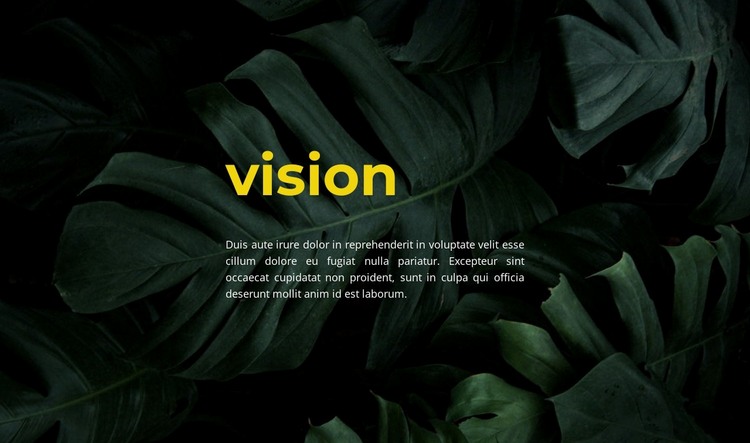
A Stable Vision Message for WordPress Page Content
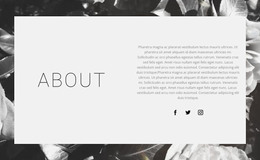
The block reads as permanent, page-oriented content rather than a collection of changing items. Its centered “vision” heading introduces one subject, the single paragraph provides the accompanying message, and the full-width leafy background image frames both elements in the same visual region. The bright yellow heading establishes a strong entry point against the dark green and black imagery, while the smaller light paragraph gives the message a quieter second level.
Within a WordPress-managed page, this section can serve as a reusable vision or values area alongside other blocks. Its compact content model makes it suitable for a page that needs a concise statement without adding a grid, gallery, form, or other interactive component. The generous surrounding space gives the section a noticeable pause in the page rhythm and helps distinguish it from text-heavy areas placed before or after it.
The block can therefore remain a consistent visual section while the wider WordPress project manages other page content around it. The analyzed arrangement contributes the heading, paragraph, background treatment, and centered hierarchy; it does not become a complete WordPress Theme. Other page regions can handle navigation, detailed information, publishing structures, or response actions, leaving this component focused on communicating one atmospheric vision statement.
Customize with Nicepage
Open this ready-made template in the WordPress Website Builder and customize it visually in the Nicepage editor. Replace demo content, edit page sections, and adapt the design to your project without rebuilding the template from scratch.
Edit Template Offline
2. Create a new page or select existing
3. Click Add new block, search for id 2455965 and click enter
Edit Template Online
Create Awesome Websites


Free Nicepage Builder
Keywords
Manage and Edit This Theme in WordPress
Customize and Install the WordPress Theme
Start with this ready-made theme instead of building the WordPress design from scratch. Customize its layout, content, typography, images, sections, and other design elements visually in Nicepage editor, then export and install the WordPress Theme, Plugin, and Pages on your WordPress site. The Nicepage WordPress Plugin lets you continue working with the site after installation.
Edit the Theme Directly in WordPress
After installation, you can edit the WordPress Theme directly in WordPress with the Nicepage WordPress Plugin. Use Site Style to customize site Colors, Fonts, Header, Footer, Blog, and Post Page Templates while working within your WordPress website.
Edit WordPress Pages Visually
Use the Nicepage WordPress Plugin to edit page content directly from the WordPress admin area. Open a WordPress Page with Nicepage and visually change its text, images, sections, and other page elements while continuing to manage the Page through WordPress.
WordPress Content and Theme Integration
Use the customized theme with WordPress Pages, Posts, Blog and Post Templates, menus, widgets, and other CMS-managed content. Shared theme elements such as Colors, Fonts, Header, Footer, Blog, and Post Page Templates can be managed as part of the overall site design, while WordPress provides the CMS environment for managing site content.
This workflow combines a ready-made WordPress Theme with visual customization, direct theme editing in WordPress, and continued content management through the Nicepage WordPress Plugin.