Plan for overcoming current and future challenges WordPress Theme


Stable Agency Information in a Four-Card WordPress Section
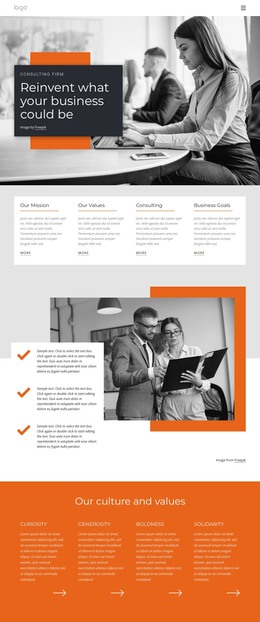
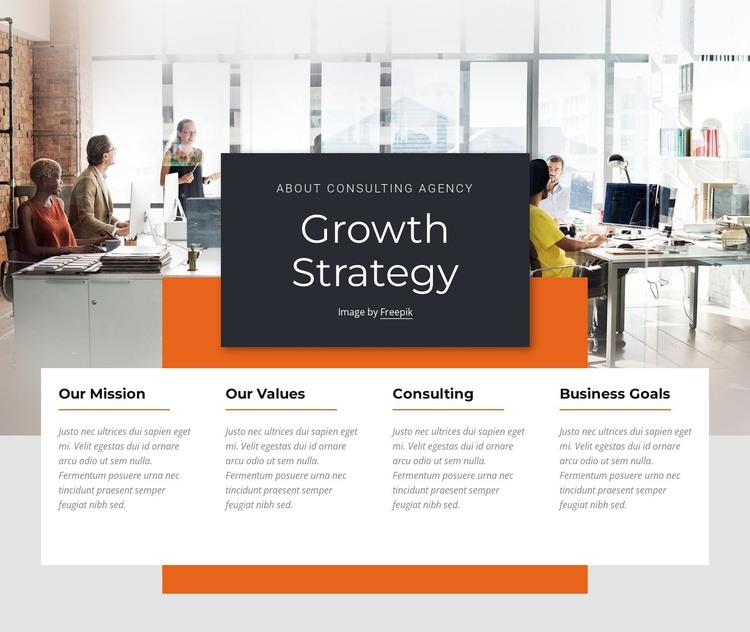
The office photograph and centered overlay panel make the block read first as an introduction: the agency label and “Growth Strategy” heading sit over a dark field, while the orange rectangular accent provides a sharp visual counterpoint to the bright image. The image credit line remains visible as part of that upper region. This arrangement gives the section a defined opening message before visitors reach the more detailed content, without requiring the section to carry an entire page narrative.
The four cards below are suited to stable, page-oriented information because each one names a lasting area of the agency overview: Our Mission, Our Values, Consulting, and Business Goals. Their shared heading, paragraph, and orange-divider pattern makes the content easy to compare while preserving four distinct topics. Within a WordPress-managed page, this block can function as reusable about or consulting content that remains visually consistent as the surrounding project adds other pages or publishable material. The section’s role comes from the relationship between its introductory image treatment and its concise card-based summary; it does not depend on assuming that posts, categories, or other CMS objects are part of the block itself.
Customize with Nicepage
Open this ready-made template in the WordPress Website Builder and customize it visually in the Nicepage editor. Replace demo content, edit page sections, and adapt the design to your project without rebuilding the template from scratch.
Edit Template Offline
2. Create a new page or select existing
3. Click Add new block, search for id 2364090 and click enter
Edit Template Online
Create Awesome Websites


Free Nicepage Builder
Keywords
Manage and Edit This Theme in WordPress
Customize and Install the WordPress Theme
Start with this ready-made theme instead of building the WordPress design from scratch. Customize its layout, content, typography, images, sections, and other design elements visually in Nicepage editor, then export and install the WordPress Theme, Plugin, and Pages on your WordPress site. The Nicepage WordPress Plugin lets you continue working with the site after installation.
Edit the Theme Directly in WordPress
After installation, you can edit the WordPress Theme directly in WordPress with the Nicepage WordPress Plugin. Use Site Style to customize site Colors, Fonts, Header, Footer, Blog, and Post Page Templates while working within your WordPress website.
Edit WordPress Pages Visually
Use the Nicepage WordPress Plugin to edit page content directly from the WordPress admin area. Open a WordPress Page with Nicepage and visually change its text, images, sections, and other page elements while continuing to manage the Page through WordPress.
WordPress Content and Theme Integration
Use the customized theme with WordPress Pages, Posts, Blog and Post Templates, menus, widgets, and other CMS-managed content. Shared theme elements such as Colors, Fonts, Header, Footer, Blog, and Post Page Templates can be managed as part of the overall site design, while WordPress provides the CMS environment for managing site content.
This workflow combines a ready-made WordPress Theme with visual customization, direct theme editing in WordPress, and continued content management through the Nicepage WordPress Plugin.