
Business Bridge WordPress Theme


Edit Template Offline
2. Create new page and search for id 20115
Edit Template Online
Create Awesome Websites


Free Nicepage Builder
Keywords
Speaker and Topic Content Give the Event Theme Clear Page Areas
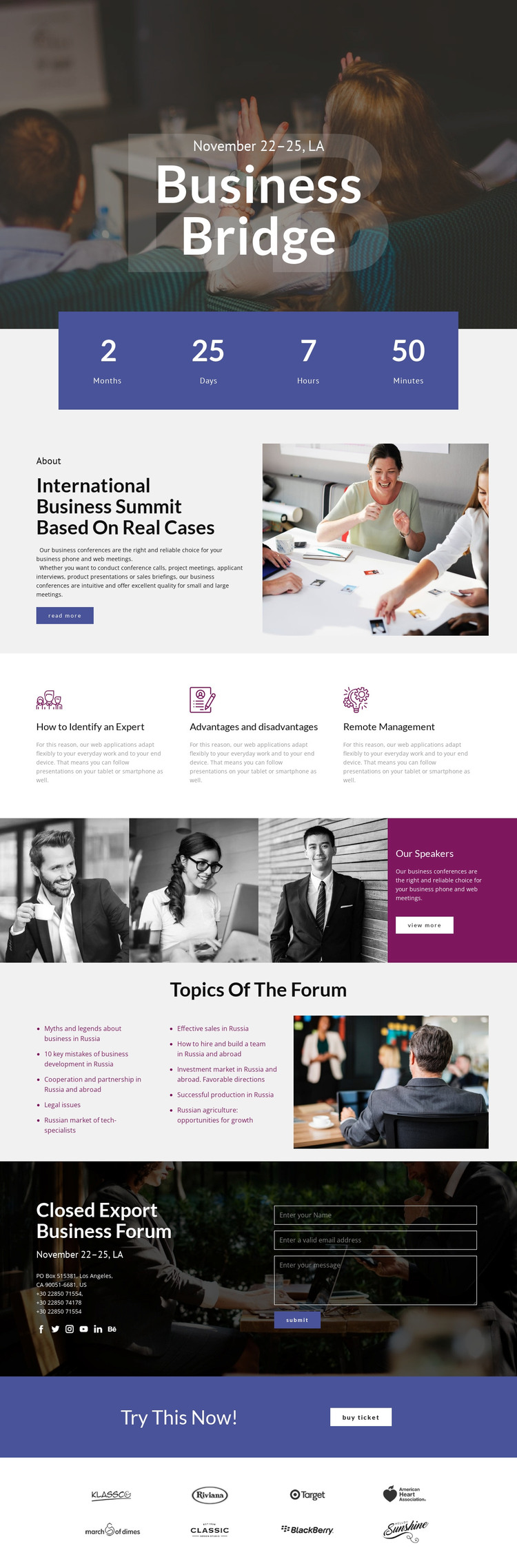
The Business Bridge design separates several types of content that can remain meaningful in a WordPress-oriented project. The summit overview provides page-oriented introductory information, while the three feature panels identify focused business subjects. The speaker strip adds a people-centered area with photographs and a view-more action, and the forum section organizes discussion themes into two lists beside a supporting image. These relationships make it possible to distinguish event explanation, speaker information, and subject coverage rather than treating the page as one undivided text block.
The contact section adds another permanent content area by combining event details, social links, and a form. The separate Buy ticket band can remain a clear action region, while the sponsor display supplies a repeated partner category that may be expanded with verified project content later. No blog, post, category, or WordPress-specific element is claimed as already present in the template. Instead, the design offers a visual system for managing event pages and related content while keeping photography, colored panels, and typography coordinated. This interpretation differs from a general static implementation because the emphasis is on how distinct summit information areas can continue to support an editable CMS-managed site, not merely on presenting the existing page as exported files.
Customize with Nicepage
Open this ready-made template in the WordPress Website Builder and customize it visually in the Nicepage editor. Replace demo content, edit page sections, and adapt the design to your project without rebuilding the template from scratch.
Manage and Edit This Theme in WordPress
Customize and Install the WordPress Theme
Start with this ready-made theme instead of building the WordPress design from scratch. Customize its layout, content, typography, images, sections, and other design elements visually in Nicepage editor, then export and install the WordPress Theme, Plugin, and Pages on your WordPress site. The Nicepage WordPress Plugin lets you continue working with the site after installation.
Edit the Theme Directly in WordPress
After installation, you can edit the WordPress Theme directly in WordPress with the Nicepage WordPress Plugin. Use Site Style to customize site Colors, Fonts, Header, Footer, Blog, and Post Page Templates while working within your WordPress website.
Edit WordPress Pages Visually
Use the Nicepage WordPress Plugin to edit page content directly from the WordPress admin area. Open a WordPress Page with Nicepage and visually change its text, images, sections, and other page elements while continuing to manage the Page through WordPress.
WordPress Content and Theme Integration
Use the customized theme with WordPress Pages, Posts, Blog and Post Templates, menus, widgets, and other CMS-managed content. Shared theme elements such as Colors, Fonts, Header, Footer, Blog, and Post Page Templates can be managed as part of the overall site design, while WordPress provides the CMS environment for managing site content.
This workflow combines a ready-made WordPress Theme with visual customization, direct theme editing in WordPress, and continued content management through the Nicepage WordPress Plugin.





















