Healthy menu WordPress Theme


Edit Template Offline
2. Create new page and search for id 17886
Edit Template Online
Create Awesome Websites


Free Nicepage Builder
Keywords
Recipe and Nutrition Areas Support Page-Oriented WordPress Content
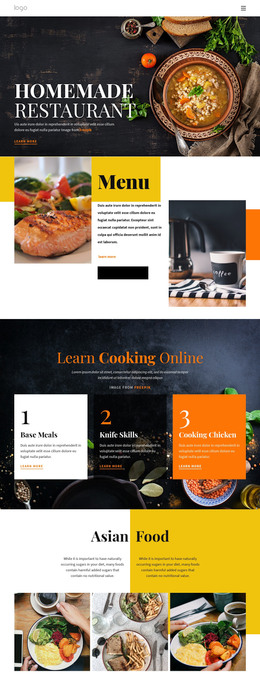
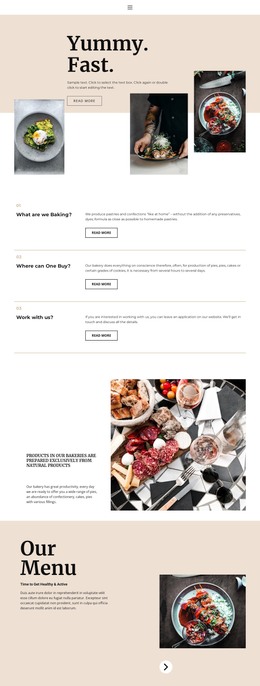
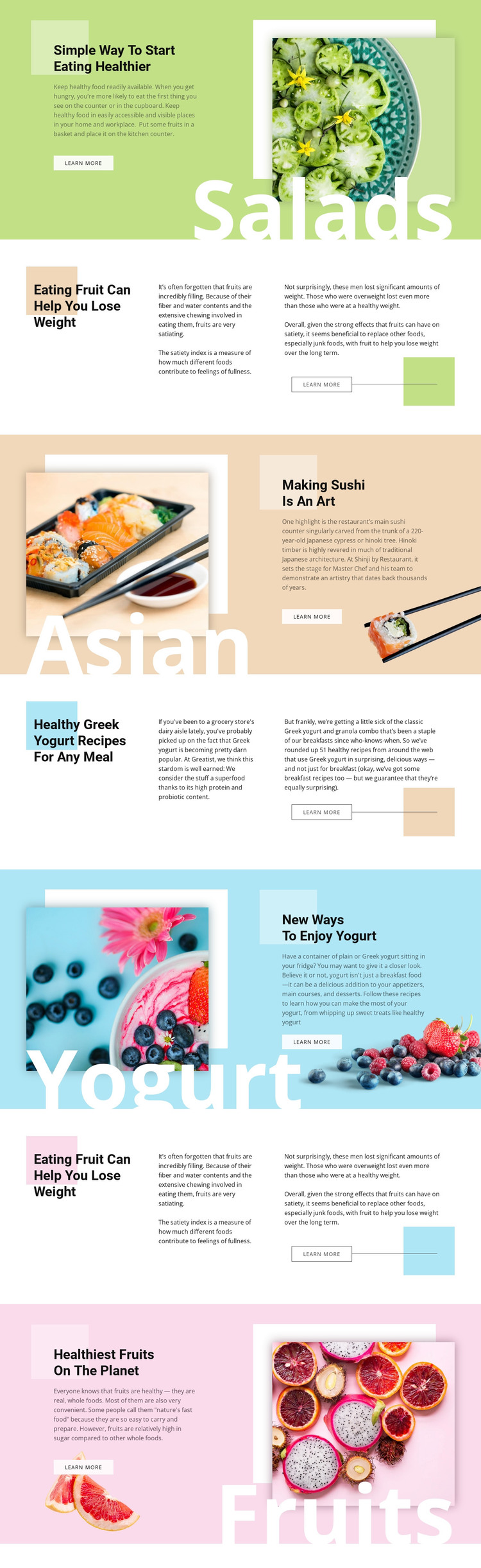
The page separates several kinds of food content into clear areas that can work naturally as permanent page material in a WordPress-managed project. Salad guidance and healthy-eating introduction provide broad subject content, while Greek yogurt recipes and new ways to enjoy yogurt offer more focused recipe-oriented areas. Sushi and fruit sections add cuisine and nutrition perspectives, giving the design more than one editorial direction without losing its shared visual character.
The recurring image-led pattern is especially useful for page content that needs a strong visual entry point. A food photograph, category label, heading, supporting copy, and Learn more action create a compact presentation unit. The Split sections provide a complementary structure for longer explanations, placing two text passages beside a prominent heading. These relationships can support permanent pages and later editorial additions without claiming that WordPress Posts, categories, or blog templates already exist in the analyzed template.
The pastel fields, bold black headings, and repeated food imagery can remain part of the theme direction while content changes over time. In that interpretation, WordPress supplies a managed environment for the page-oriented food material and future article additions, while the design preserves recognizable relationships between topic, image, explanatory text, and continuation action. The template’s value is therefore its content mapping, not a CMS workflow tutorial.
Customize with Nicepage
Open this ready-made template in the WordPress Website Builder and customize it visually in the Nicepage editor. Replace demo content, edit page sections, and adapt the design to your project without rebuilding the template from scratch.
Manage and Edit This Theme in WordPress
Customize and Install the WordPress Theme
Start with this ready-made theme instead of building the WordPress design from scratch. Customize its layout, content, typography, images, sections, and other design elements visually in Nicepage editor, then export and install the WordPress Theme, Plugin, and Pages on your WordPress site. The Nicepage WordPress Plugin lets you continue working with the site after installation.
Edit the Theme Directly in WordPress
After installation, you can edit the WordPress Theme directly in WordPress with the Nicepage WordPress Plugin. Use Site Style to customize site Colors, Fonts, Header, Footer, Blog, and Post Page Templates while working within your WordPress website.
Edit WordPress Pages Visually
Use the Nicepage WordPress Plugin to edit page content directly from the WordPress admin area. Open a WordPress Page with Nicepage and visually change its text, images, sections, and other page elements while continuing to manage the Page through WordPress.
WordPress Content and Theme Integration
Use the customized theme with WordPress Pages, Posts, Blog and Post Templates, menus, widgets, and other CMS-managed content. Shared theme elements such as Colors, Fonts, Header, Footer, Blog, and Post Page Templates can be managed as part of the overall site design, while WordPress provides the CMS environment for managing site content.
This workflow combines a ready-made WordPress Theme with visual customization, direct theme editing in WordPress, and continued content management through the Nicepage WordPress Plugin.