Read some of the testimonials WordPress Theme


One Attributed Statement as Stable WordPress Page Content
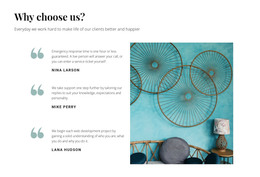
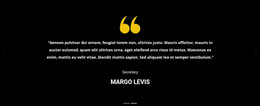
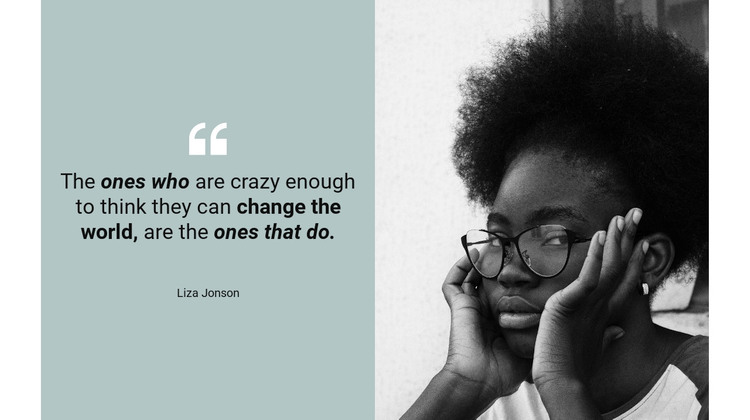
The quote and portrait form a compact content area that can work as permanent testimonial material in a WordPress-managed page. The left side gives the statement a readable center of gravity: a large quotation-mark icon introduces the testimonial, bold italic type emphasizes its main voice, and the displayed name, Liza Jonson, identifies the attribution. Beside it, the black-and-white portrait occupies an equal-width panel, creating a direct relationship between the words and the person represented by the section. The pale blue-green background keeps the text panel visually separate while maintaining balance with the monochrome image.
For a WordPress-oriented project, this block is best understood as a stable page section that can sit alongside other managed content. It can provide a personal proof point after an introduction or service explanation, while separate page areas handle broader information and actions. The two-column structure makes the testimonial easy to recognize as a discrete visual unit, and the centered text prevents the quote from becoming a dense article-like passage. Because the block is static, its full statement remains available without relying on a carousel or expandable control. The section can thus preserve a consistent testimonial presentation as surrounding WordPress page content evolves, without implying that the block itself is a complete theme or site.
Customize with Nicepage
Open this ready-made template in the WordPress Website Builder and customize it visually in the Nicepage editor. Replace demo content, edit page sections, and adapt the design to your project without rebuilding the template from scratch.
Edit Template Offline
2. Create a new page or select existing
3. Click Add new block, search for id 133294 and click enter
Edit Template Online
Create Awesome Websites


Free Nicepage Builder
Keywords
Manage and Edit This Theme in WordPress
Customize and Install the WordPress Theme
Start with this ready-made theme instead of building the WordPress design from scratch. Customize its layout, content, typography, images, sections, and other design elements visually in Nicepage editor, then export and install the WordPress Theme, Plugin, and Pages on your WordPress site. The Nicepage WordPress Plugin lets you continue working with the site after installation.
Edit the Theme Directly in WordPress
After installation, you can edit the WordPress Theme directly in WordPress with the Nicepage WordPress Plugin. Use Site Style to customize site Colors, Fonts, Header, Footer, Blog, and Post Page Templates while working within your WordPress website.
Edit WordPress Pages Visually
Use the Nicepage WordPress Plugin to edit page content directly from the WordPress admin area. Open a WordPress Page with Nicepage and visually change its text, images, sections, and other page elements while continuing to manage the Page through WordPress.
WordPress Content and Theme Integration
Use the customized theme with WordPress Pages, Posts, Blog and Post Templates, menus, widgets, and other CMS-managed content. Shared theme elements such as Colors, Fonts, Header, Footer, Blog, and Post Page Templates can be managed as part of the overall site design, while WordPress provides the CMS environment for managing site content.
This workflow combines a ready-made WordPress Theme with visual customization, direct theme editing in WordPress, and continued content management through the Nicepage WordPress Plugin.