Branding and development WordPress Theme


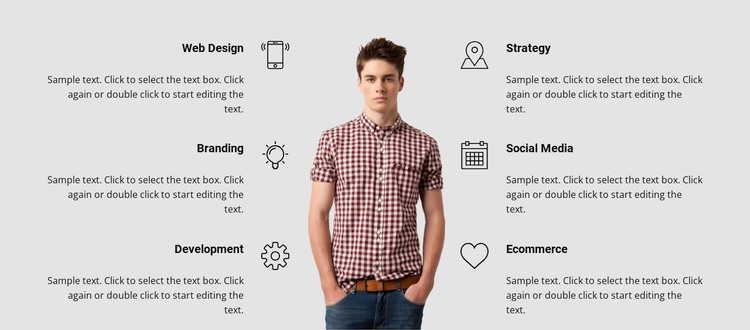
Labeled service content anchors a WordPress page section
The service labels give this block the character of stable, publishable page content rather than a temporary announcement. Web Design, Branding, and Development are balanced against Strategy, Social Media, and Ecommerce in two three-item columns. Because every item follows the same icon-title-description pattern, the section can present related offerings consistently within a WordPress-managed page while preserving a clear visual grouping.
A portrait stands between the columns and provides a central reference point for the surrounding service information. The alternating alignment of the titles prevents the two sides from reading as identical lists, yet the repeated circular icons and bold headings keep the six items connected. For a WordPress-oriented project, this block can serve as a stable services region inside broader page content, with other sections handling deeper service details, project examples, or contact actions. Its light gray background and black typography establish the block's own presentation; they do not turn the section into a complete WordPress Theme. The named categories can remain an at-a-glance summary of the site's capabilities, while separate page content provides room for fuller explanations or related work. This makes the section suitable for a durable services area that remains visually consistent as the surrounding WordPress-managed content develops.
Customize with Nicepage
Open this ready-made template in the WordPress Website Builder and customize it visually in the Nicepage editor. Replace demo content, edit page sections, and adapt the design to your project without rebuilding the template from scratch.
Edit Template Offline
2. Create a new page or select existing
3. Click Add new block, search for id 130486 and click enter
Edit Template Online
Create Awesome Websites


Free Nicepage Builder
Keywords
Manage and Edit This Theme in WordPress
Customize and Install the WordPress Theme
Start with this ready-made theme instead of building the WordPress design from scratch. Customize its layout, content, typography, images, sections, and other design elements visually in Nicepage editor, then export and install the WordPress Theme, Plugin, and Pages on your WordPress site. The Nicepage WordPress Plugin lets you continue working with the site after installation.
Edit the Theme Directly in WordPress
After installation, you can edit the WordPress Theme directly in WordPress with the Nicepage WordPress Plugin. Use Site Style to customize site Colors, Fonts, Header, Footer, Blog, and Post Page Templates while working within your WordPress website.
Edit WordPress Pages Visually
Use the Nicepage WordPress Plugin to edit page content directly from the WordPress admin area. Open a WordPress Page with Nicepage and visually change its text, images, sections, and other page elements while continuing to manage the Page through WordPress.
WordPress Content and Theme Integration
Use the customized theme with WordPress Pages, Posts, Blog and Post Templates, menus, widgets, and other CMS-managed content. Shared theme elements such as Colors, Fonts, Header, Footer, Blog, and Post Page Templates can be managed as part of the overall site design, while WordPress provides the CMS environment for managing site content.
This workflow combines a ready-made WordPress Theme with visual customization, direct theme editing in WordPress, and continued content management through the Nicepage WordPress Plugin.