Modern Military Defense Template


Edit Template Offline
2. Create new page and search for id 6663841
Edit Template Online
Create Awesome Websites


Free Nicepage Builder
Keywords
Military Imagery and Three Capability Cards Define the Design Choice
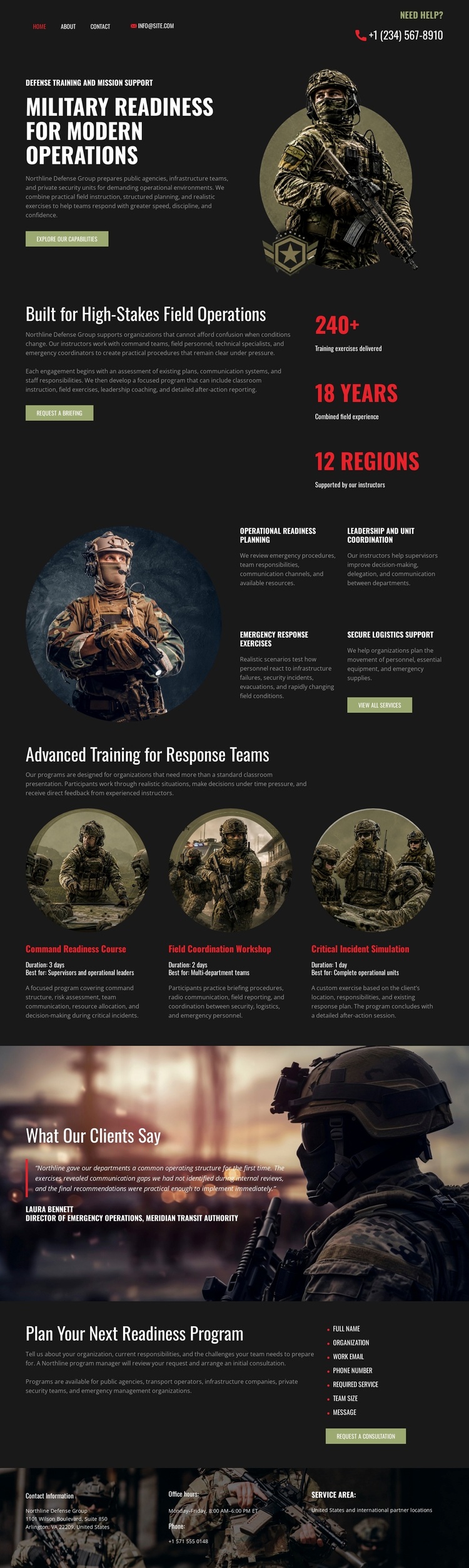
Military personnel photography establishes the subject immediately, while the opening readiness message and Explore Our Capabilities button give the page a clear starting point. The design is therefore suited to projects that need to communicate operational seriousness through imagery before presenting detailed information. Instead of relying on a generic services layout, it combines a tactical visual setting with concrete capability categories: operational readiness planning, leadership and unit coordination, emergency response exercises, and specialized equipment.
The three image-led training cards add another reason to consider this design. Their equal presentation creates room for distinct advanced-training capabilities while keeping them visually connected, making the page appropriate for organizations that need to show several related readiness offerings without treating one as the entire focus. A testimonial section adds a separate client-oriented perspective, so the design balances capability explanation with supporting proof rather than presenting only promotional claims.
The closing Plan Your Next Readiness Program section completes that choice through a short inclusion list and a Request a Consultation action. It gives the page a practical next step after the visitor has seen the subject, capability areas, training options, and testimonial content. The dark charcoal palette, olive accents, selective red highlights, rugged textures, and condensed typography further separate this option from lighter corporate or education-focused layouts. It is a strong design direction for projects where visual authority and structured readiness information need to work together.
Customize with Nicepage
Open this ready-made template in the Template Builder and customize it visually in the Nicepage editor. Replace demo content, edit page sections, and adapt the design to your project without rebuilding the template from scratch.
Start With a Ready-Made Template
Choose a Design for a New Page
Use a ready-made template as a starting point instead of creating every page from a blank canvas. When adding a new page in Nicepage, browse available designs, compare different layouts, and choose an option that already fits the general purpose and visual direction of your project.
Browse Different Page Designs
Explore Page Designs using search, thematic categories, Design Sets, and full-page previews. The collection includes layouts for different subjects and page purposes, making it easier to compare alternatives before selecting a design to customize.
Customize the Selected Template
After choosing a design, create the page and continue editing it visually in Nicepage. Replace the demo content, adjust images, typography, colors, sections, and other elements, and adapt the ready-made layout to your own content instead of rebuilding the design from the beginning.
Explore More Design Directions
If the first option does not match your project closely enough, return to the design collection and compare other templates before committing to a layout. This makes the template library useful not only for faster page creation, but also for exploring different visual approaches and finding a suitable starting point for a new project.
This workflow gives you access to a broad collection of ready-made designs that can be selected, compared, and customized according to the needs of each new page or project.