Private Math Tutor Template


Edit Template Offline
2. Create new page and search for id 6627346
Edit Template Online
Create Awesome Websites


Free Nicepage Builder
Keywords
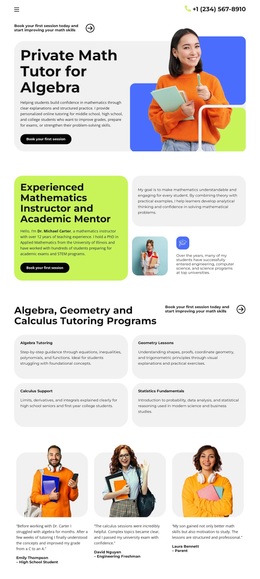
Four Math Subjects Give This Design a Clear Starting Point
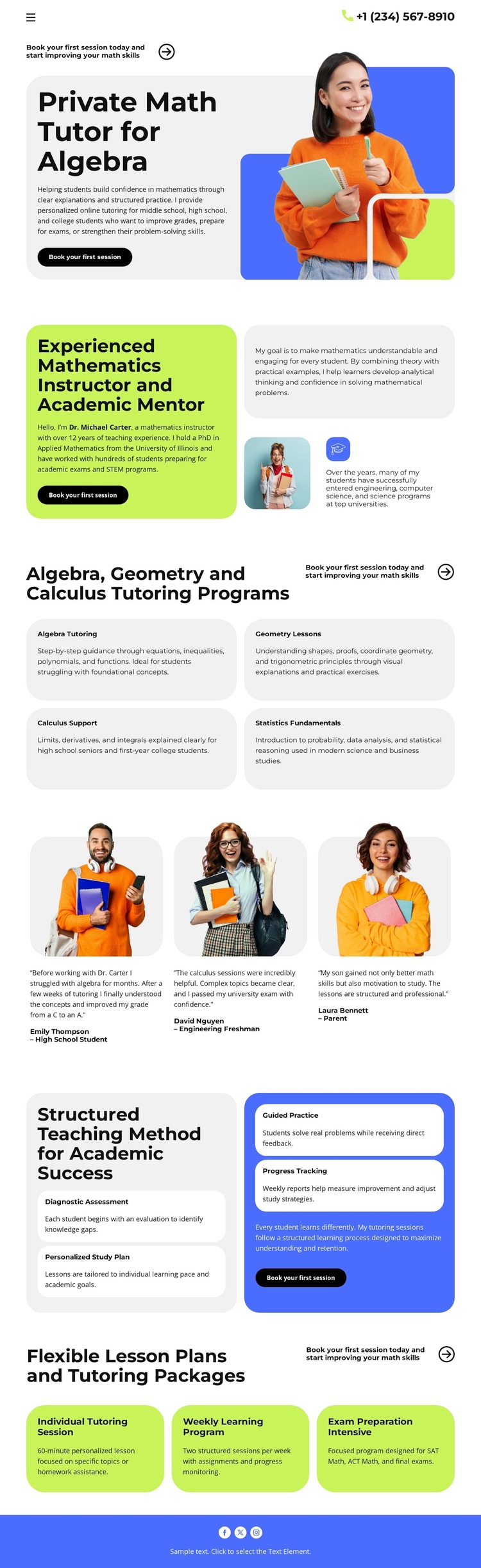
Algebra Tutoring, Geometry Lessons, Calculus Support, and Statistics Fundamentals give the design unusually clear content coverage for a tutoring page. Instead of relying on a single broad education message, the four compact cards show how the service can address different mathematics needs. That makes the layout a useful option for projects that need to communicate subject range quickly while keeping the page approachable for students and families.
The subject overview is supported by a three-person testimonial section and a four-step teaching method. The portrait cards introduce a student-centered proof area, while Diagnostic Assessment, Personalized Study Plan, Guided Practice, and Progress Tracking explain a recognizable relationship between evaluation, planning, practice, and follow-up. These sections give the design more depth than a simple list of tutoring services. They show both what can be taught and how the teaching experience is framed.
The three package cards add a practical comparison layer through Individual Tutoring, Weekly Learning, and Intensive Preparation. Together with the algebra-focused hero, instructor introduction, phone contact, and repeated “Book your first session” action, they create a coherent starting point for a mathematics tutoring project. The lime and blue accents, rounded cards, bold typography, and student-focused photography reinforce that direction without forcing the design into a generic school or institutional style.
Customize with Nicepage
Open this ready-made template in the Template Builder and customize it visually in the Nicepage editor. Replace demo content, edit page sections, and adapt the design to your project without rebuilding the template from scratch.
Start With a Ready-Made Template
Choose a Design for a New Page
Use a ready-made template as a starting point instead of creating every page from a blank canvas. When adding a new page in Nicepage, browse available designs, compare different layouts, and choose an option that already fits the general purpose and visual direction of your project.
Browse Different Page Designs
Explore Page Designs using search, thematic categories, Design Sets, and full-page previews. The collection includes layouts for different subjects and page purposes, making it easier to compare alternatives before selecting a design to customize.
Customize the Selected Template
After choosing a design, create the page and continue editing it visually in Nicepage. Replace the demo content, adjust images, typography, colors, sections, and other elements, and adapt the ready-made layout to your own content instead of rebuilding the design from the beginning.
Explore More Design Directions
If the first option does not match your project closely enough, return to the design collection and compare other templates before committing to a layout. This makes the template library useful not only for faster page creation, but also for exploring different visual approaches and finding a suitable starting point for a new project.
This workflow gives you access to a broad collection of ready-made designs that can be selected, compared, and customized according to the needs of each new page or project.