meet our global team Template


Edit Template Offline
2. Create new page and search for id 6319355
Edit Template Online
Create Awesome Websites


Free Nicepage Builder
Keywords
Regional depth and global reach make this team layout distinctive
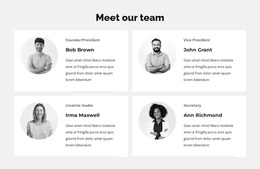
The design is a useful option for organizations that need to present people and participation together rather than choosing between a staff directory and a campaign page. Its strongest distinguishing feature is the contrast between the four-person United States team and the six-person global team. The first group uses circular portrait cards with roles, names, and short descriptions, giving regional members more visual space. The second group uses compact horizontal items in two columns, making a larger international group easier to scan.
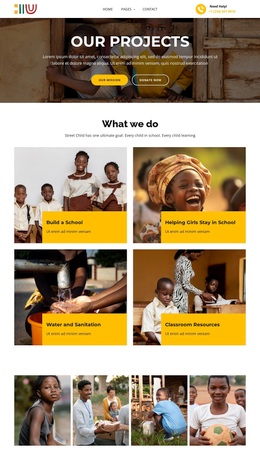
That people-focused structure is supported by a clear sequence of related content. The hero introduces Our Team over a landscape image and pairs the introduction with Our Mission and Donate now actions. Later, the bright Become a Volunteer band shifts attention from organizational identity to participation and uses Join us as a direct invitation. The lower contact area requests a name, email address, and message, so visitors can respond even when they are not ready to use the volunteer call to action.
The page also includes a telephone contact channel and a dark footer with summary content, quick links, contact details, and social links. Together, these elements make the design suitable for community groups, educational initiatives, or nonprofit projects that need to show distributed teams while keeping support and volunteer responses visible.
Customize with Nicepage
Open this ready-made template in the Template Builder and customize it visually in the Nicepage editor. Replace demo content, edit page sections, and adapt the design to your project without rebuilding the template from scratch.
Start With a Ready-Made Template
Choose a Design for a New Page
Use a ready-made template as a starting point instead of creating every page from a blank canvas. When adding a new page in Nicepage, browse available designs, compare different layouts, and choose an option that already fits the general purpose and visual direction of your project.
Browse Different Page Designs
Explore Page Designs using search, thematic categories, Design Sets, and full-page previews. The collection includes layouts for different subjects and page purposes, making it easier to compare alternatives before selecting a design to customize.
Customize the Selected Template
After choosing a design, create the page and continue editing it visually in Nicepage. Replace the demo content, adjust images, typography, colors, sections, and other elements, and adapt the ready-made layout to your own content instead of rebuilding the design from the beginning.
Explore More Design Directions
If the first option does not match your project closely enough, return to the design collection and compare other templates before committing to a layout. This makes the template library useful not only for faster page creation, but also for exploring different visual approaches and finding a suitable starting point for a new project.
This workflow gives you access to a broad collection of ready-made designs that can be selected, compared, and customized according to the needs of each new page or project.