Industrial Mining Company Template


Edit Template Offline
2. Create new page and search for id 6624416
Edit Template Online
Create Awesome Websites


Free Nicepage Builder
Keywords
Mining Services and Global Project Evidence Give This Design Its Identity
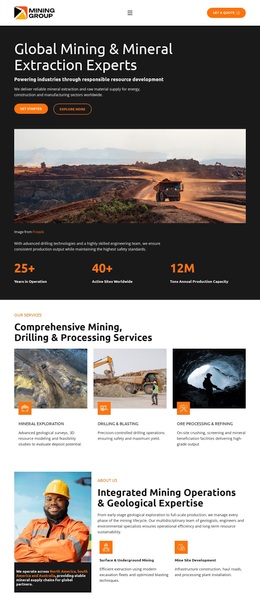
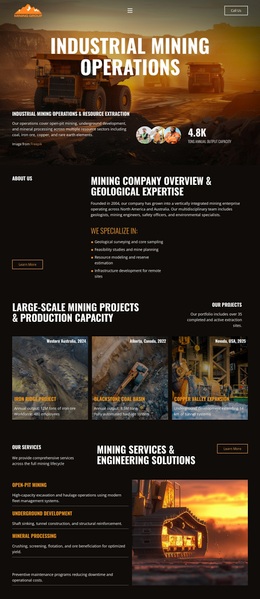
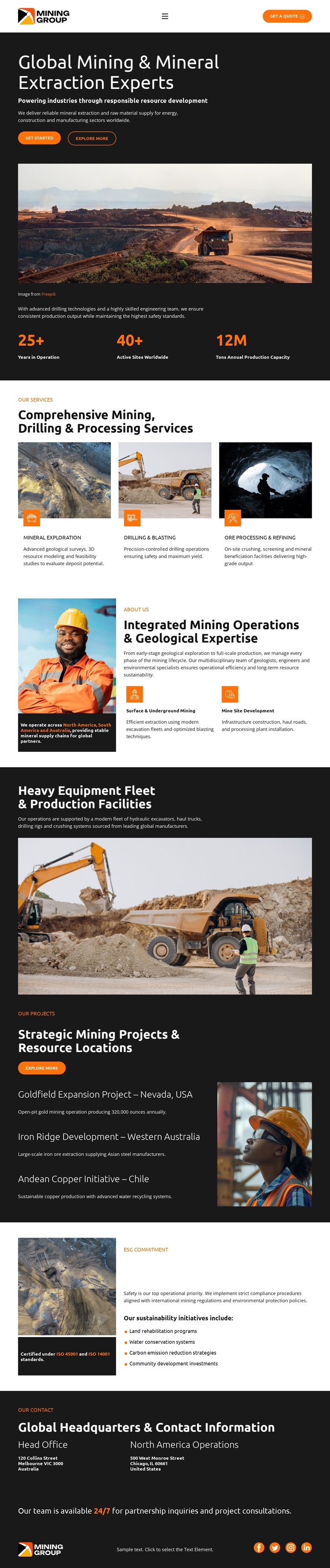
The strongest reason to choose this design is its combination of industrial scale and organized service coverage. The opening mining image establishes the subject immediately, while the three repeated service cards turn that visual introduction into a practical capability summary covering mineral exploration, drilling and blasting, and ore processing and refining. This balance suits a company that needs to communicate both technical range and a recognizable industrial direction.
The design also gives operational evidence more space than a simple service brochure. Mining operations and geological expertise are paired with worker imagery, and a separate wide section highlights heavy equipment and production facilities. The project area adds three named locations—Nevada, Western Australia, and Chile—so the page can communicate geographic reach through a structured project presentation rather than through abstract claims. These sections make the layout relevant to mining clients, project partners, and stakeholders reviewing capability and scope.
A further distinction is the inclusion of an ESG commitment section alongside metrics and contact information. Safety, water conservation, carbon emission reduction, and community development topics create a responsibility layer, while the closing office columns and “Get a Quote” action support a business inquiry. The result is a ready-made design option for a mining organization that needs one page to connect services, resources, projects, commitments, and consultation.
Customize with Nicepage
Open this ready-made template in the Template Builder and customize it visually in the Nicepage editor. Replace demo content, edit page sections, and adapt the design to your project without rebuilding the template from scratch.
Start With a Ready-Made Template
Choose a Design for a New Page
Use a ready-made template as a starting point instead of creating every page from a blank canvas. When adding a new page in Nicepage, browse available designs, compare different layouts, and choose an option that already fits the general purpose and visual direction of your project.
Browse Different Page Designs
Explore Page Designs using search, thematic categories, Design Sets, and full-page previews. The collection includes layouts for different subjects and page purposes, making it easier to compare alternatives before selecting a design to customize.
Customize the Selected Template
After choosing a design, create the page and continue editing it visually in Nicepage. Replace the demo content, adjust images, typography, colors, sections, and other elements, and adapt the ready-made layout to your own content instead of rebuilding the design from the beginning.
Explore More Design Directions
If the first option does not match your project closely enough, return to the design collection and compare other templates before committing to a layout. This makes the template library useful not only for faster page creation, but also for exploring different visual approaches and finding a suitable starting point for a new project.
This workflow gives you access to a broad collection of ready-made designs that can be selected, compared, and customized according to the needs of each new page or project.