Contact our professionals today Template



Edit Template Offline
2. Create new page and search for id 432338
Edit Template Online
Create Awesome Websites


Free Nicepage Builder
Keywords
Four Transportation Features Broaden the Logistics Story
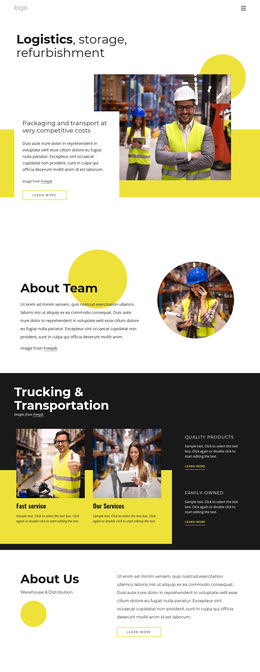
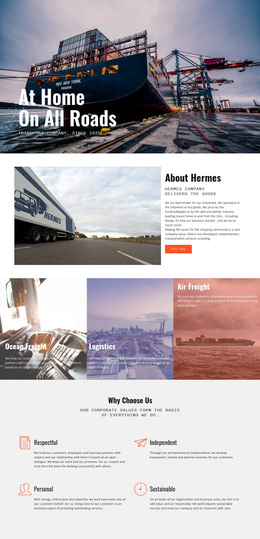
The combination of warehouse photography and the opening heading about logistics, storage, and refurbishment gives this design a specific subject before any detailed explanation begins. It is a useful choice for projects that need to present physical operations visually, because the imagery carries the warehouse and transportation context while the adjacent text introduces the service direction. The asymmetrical image-and-card treatment also separates the design from layouts built mainly around plain text or compact service grids.
The page covers more than one operational category. Packaging and transport, Warehouse & Distribution, Trucking & Transportation, and the logistics company profile create related but distinct content areas. A four-item feature section adds fast service, services, quality products, and family-owned messaging, giving the design a repeatable way to show company qualities without losing the industrial theme. The About Team section and the mission-and-projects area add organizational and directional context, so the page can speak about both activity and identity.
The lower contact sequence makes the option practical for companies that want communication built into the presentation. A professional contact promotion leads toward contact details, social links, newsletter language, and a form with a Submit action. The bold palette, generous spacing, and repeated learn-more links keep the sections visually connected while leaving room to replace demo copy with accurate logistics information.
Customize with Nicepage
Open this ready-made template in the Template Builder and customize it visually in the Nicepage editor. Replace demo content, edit page sections, and adapt the design to your project without rebuilding the template from scratch.
Start With a Ready-Made Template
Choose a Design for a New Page
Use a ready-made template as a starting point instead of creating every page from a blank canvas. When adding a new page in Nicepage, browse available designs, compare different layouts, and choose an option that already fits the general purpose and visual direction of your project.
Browse Different Page Designs
Explore Page Designs using search, thematic categories, Design Sets, and full-page previews. The collection includes layouts for different subjects and page purposes, making it easier to compare alternatives before selecting a design to customize.
Customize the Selected Template
After choosing a design, create the page and continue editing it visually in Nicepage. Replace the demo content, adjust images, typography, colors, sections, and other elements, and adapt the ready-made layout to your own content instead of rebuilding the design from the beginning.
Explore More Design Directions
If the first option does not match your project closely enough, return to the design collection and compare other templates before committing to a layout. This makes the template library useful not only for faster page creation, but also for exploring different visual approaches and finding a suitable starting point for a new project.
This workflow gives you access to a broad collection of ready-made designs that can be selected, compared, and customized according to the needs of each new page or project.