Modern Fire Department Template


Edit Template Offline
2. Create new page and search for id 6664207
Edit Template Online
Create Awesome Websites


Free Nicepage Builder
Keywords
Industrial Services and Training Categories Give This Design a Clear Point of View
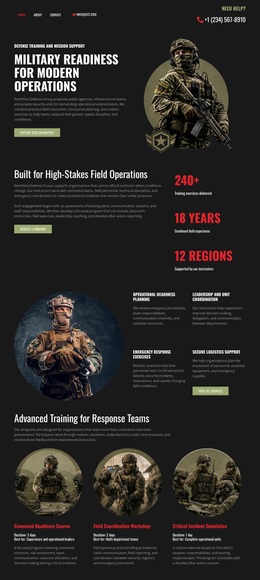
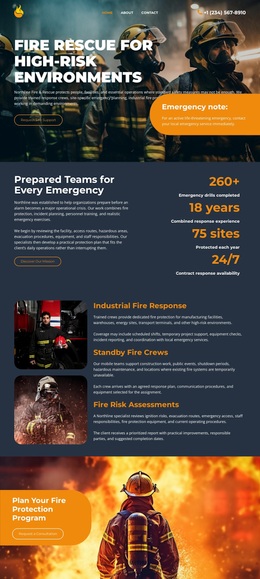
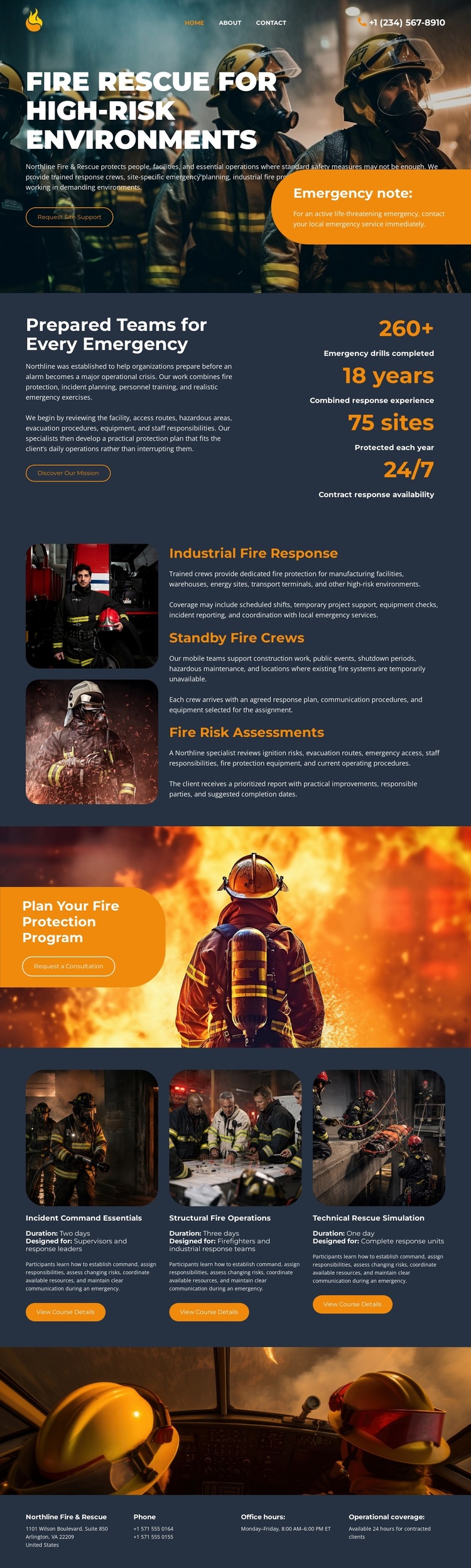
Large firefighter and emergency-vehicle images make emergency response the first visual signal, while the content gives that subject several practical dimensions. The page does not stop at a general fire-safety statement: it identifies industrial fire response, standby fire crews, and fire risk assessments as three separate service offerings. That coverage makes the design a useful option for projects that need to explain both immediate response capability and preventative assessment work.
The prepared-team section adds a compact proof-oriented layer through explanatory copy and four highlighted metrics. Although the displayed values are demonstration content rather than independently verified claims, their arrangement shows how the design can support an operational story without filling the page with dense paragraphs. The three capability cards extend the direction into Industrial Command Essentials, Structural Fire Operations, and Tactical Rescue Simulation, giving the page a second group of subject-specific categories.
The consultation panel is another distinguishing choice. It does not appear as a minor footer action; “Plan Your Fire Protection Program” receives a large image-backed CTA area before the final contact information. That balance between service coverage, capability categories, urgent imagery, and consultation intent makes this template especially suited to organizations that need a serious, operational presentation rather than a generic industrial business layout.
Customize with Nicepage
Open this ready-made template in the Template Builder and customize it visually in the Nicepage editor. Replace demo content, edit page sections, and adapt the design to your project without rebuilding the template from scratch.
Start With a Ready-Made Template
Choose a Design for a New Page
Use a ready-made template as a starting point instead of creating every page from a blank canvas. When adding a new page in Nicepage, browse available designs, compare different layouts, and choose an option that already fits the general purpose and visual direction of your project.
Browse Different Page Designs
Explore Page Designs using search, thematic categories, Design Sets, and full-page previews. The collection includes layouts for different subjects and page purposes, making it easier to compare alternatives before selecting a design to customize.
Customize the Selected Template
After choosing a design, create the page and continue editing it visually in Nicepage. Replace the demo content, adjust images, typography, colors, sections, and other elements, and adapt the ready-made layout to your own content instead of rebuilding the design from the beginning.
Explore More Design Directions
If the first option does not match your project closely enough, return to the design collection and compare other templates before committing to a layout. This makes the template library useful not only for faster page creation, but also for exploring different visual approaches and finding a suitable starting point for a new project.
This workflow gives you access to a broad collection of ready-made designs that can be selected, compared, and customized according to the needs of each new page or project.