Heavy Industry Mining Template


Edit Template Offline
2. Create new page and search for id 6624785
Edit Template Online
Create Awesome Websites


Free Nicepage Builder
Keywords
Three Project Cards Connect Operations With Capability
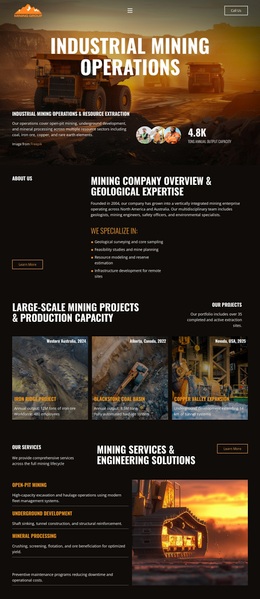
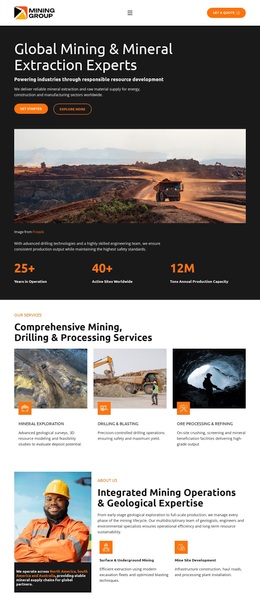
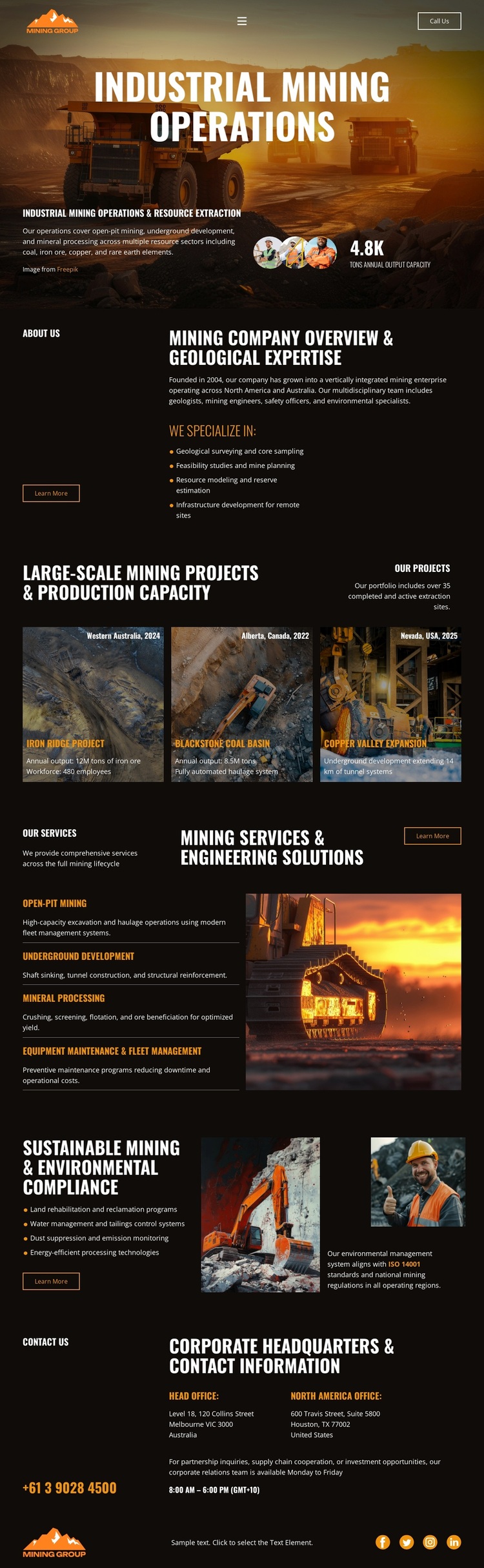
The three repeated mining project cards give this design a particularly clear way to present project-oriented content. Each card combines a mine image, project title, location or date label, and description, so the page can show several examples within one consistent visual group. That project emphasis works alongside the opening Industrial Mining Operations hero, which establishes the industrial subject before visitors reach the more detailed project presentation. The result is a design choice suited to companies that need visual evidence and operational context together.
The surrounding sections broaden the coverage without weakening that focus. A company overview introduces geological expertise through descriptive copy and a specialization list. The services section names Open Pit Mining, Underground Development, Mineral Sampling, Blasting and Drilling, and Equipment Maintenance & Haul Management beside a heavy-equipment image. The sustainability block adds rehabilitation, water management, dust suppression, emissions monitoring, and energy-efficient processing, while the closing contact section supplies office information, phone and email channels, addresses, and social links. This combination distinguishes the template from layouts centered only on a generic service list or a single corporate statement. It is worth choosing when a mining organization needs one visual direction to connect projects, engineering capability, environmental responsibility, and a direct route to corporate communication.
Customize with Nicepage
Open this ready-made template in the Template Builder and customize it visually in the Nicepage editor. Replace demo content, edit page sections, and adapt the design to your project without rebuilding the template from scratch.
Start With a Ready-Made Template
Choose a Design for a New Page
Use a ready-made template as a starting point instead of creating every page from a blank canvas. When adding a new page in Nicepage, browse available designs, compare different layouts, and choose an option that already fits the general purpose and visual direction of your project.
Browse Different Page Designs
Explore Page Designs using search, thematic categories, Design Sets, and full-page previews. The collection includes layouts for different subjects and page purposes, making it easier to compare alternatives before selecting a design to customize.
Customize the Selected Template
After choosing a design, create the page and continue editing it visually in Nicepage. Replace the demo content, adjust images, typography, colors, sections, and other elements, and adapt the ready-made layout to your own content instead of rebuilding the design from the beginning.
Explore More Design Directions
If the first option does not match your project closely enough, return to the design collection and compare other templates before committing to a layout. This makes the template library useful not only for faster page creation, but also for exploring different visual approaches and finding a suitable starting point for a new project.
This workflow gives you access to a broad collection of ready-made designs that can be selected, compared, and customized according to the needs of each new page or project.