House repair and contruction Template


Edit Template Offline
2. Create new page and search for id 60525
Edit Template Online
Create Awesome Websites


Free Nicepage Builder
Keywords
Five Repair Categories and a Four-Image Plumbing Section Define the Choice
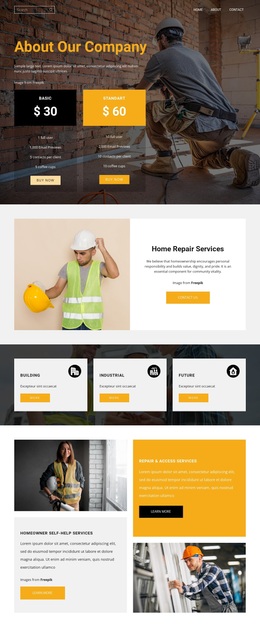
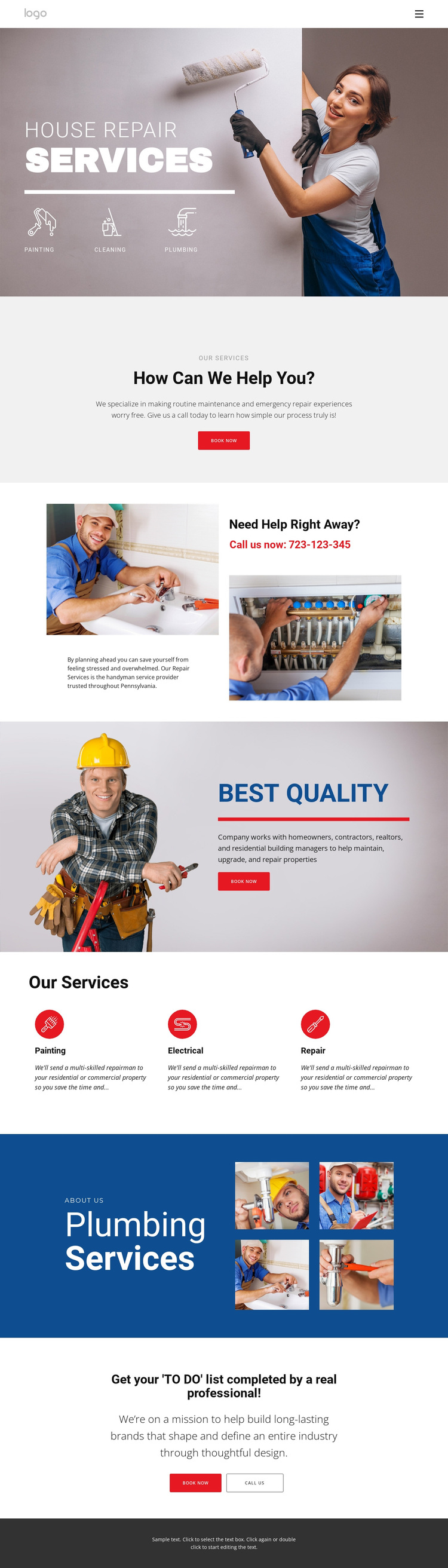
Painting, Cleaning, Plumbing, Electrical, and Repair give this design broader service coverage than a page built around one trade alone. The hero introduces three categories immediately, then the Our Services section adds a repeated three-item arrangement for Painting, Electrical, and Repair. That combination makes the design a useful option when visitors need to understand several kinds of property maintenance from one starting page.
The visual content also has a distinctive role. A large worker image establishes the practical subject at the beginning, while the Plumbing Services section uses four images beside an About us label and supporting heading. The page therefore communicates through both service labels and work-related imagery instead of relying only on dense explanatory copy. The Best Quality section adds another image-led statement, giving the design a clear quality emphasis without turning the layout into a generic corporate service grid.
Its response coverage is equally concrete. Book now appears in the centered introduction and quality section, while Need Help Right Away? adds a phone callout and the final block places Book now beside CALL US. Those repeated but varied actions make the design suitable for projects where customers may either schedule work or seek immediate help. The mix of broad service categories, plumbing imagery, quality messaging, and dual response options distinguishes this template from a narrower trade-specific starting point.
Customize with Nicepage
Open this ready-made template in the Template Builder and customize it visually in the Nicepage editor. Replace demo content, edit page sections, and adapt the design to your project without rebuilding the template from scratch.
Start With a Ready-Made Template
Choose a Design for a New Page
Use a ready-made template as a starting point instead of creating every page from a blank canvas. When adding a new page in Nicepage, browse available designs, compare different layouts, and choose an option that already fits the general purpose and visual direction of your project.
Browse Different Page Designs
Explore Page Designs using search, thematic categories, Design Sets, and full-page previews. The collection includes layouts for different subjects and page purposes, making it easier to compare alternatives before selecting a design to customize.
Customize the Selected Template
After choosing a design, create the page and continue editing it visually in Nicepage. Replace the demo content, adjust images, typography, colors, sections, and other elements, and adapt the ready-made layout to your own content instead of rebuilding the design from the beginning.
Explore More Design Directions
If the first option does not match your project closely enough, return to the design collection and compare other templates before committing to a layout. This makes the template library useful not only for faster page creation, but also for exploring different visual approaches and finding a suitable starting point for a new project.
This workflow gives you access to a broad collection of ready-made designs that can be selected, compared, and customized according to the needs of each new page or project.