Learn to cook Template



Edit Template Offline
2. Create new page and search for id 3125134
Edit Template Online
Create Awesome Websites


Free Nicepage Builder
Keywords
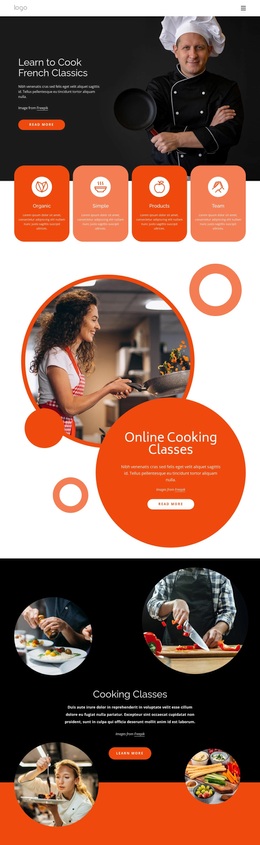
Circular Food Imagery Gives This Cooking-Class Design a Clear Direction
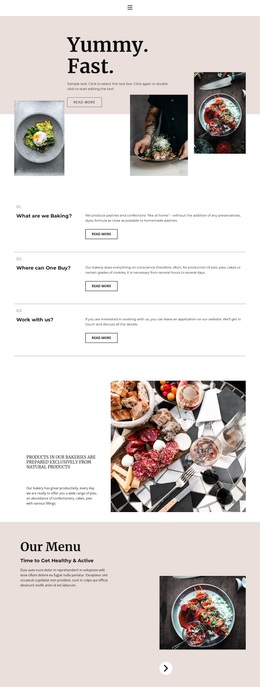
Large chef and food photographs carry much of the design's identity, beginning with the dark hero for Learn to Cook French Classics and continuing through the circular image sections. This makes the template a useful option for a cooking school that needs visitors to understand the subject visually before reading every detail. The contrast between black backgrounds, white content areas, and vivid orange-red accents keeps the different cooking themes recognizable while preserving one connected direction.
The content coverage is also broader than a simple introduction. Four rounded feature cards summarize Organic, Simple, Products, and Team, while the Online Cooking Classes and A Simple & Delicious Traditional Cooking sections give the offer two distinct promotional moments. The six food-category cards add another reason to choose the layout: they can present the range of culinary interests without requiring long blocks of explanation. Fresh Food, Dinner Meals, Classic Menu, Chef's Special, Pasta & Pizza, and Vegan Dishes create an immediately scannable set of choices.
Mission, Vision & History and Why Us then support the school with organizational and value-focused information. Because the final contact area includes contact channels and an inquiry form, the design also covers a practical next step without losing its food-led character. Its strongest distinction is the relationship between rich photography, compact class content, and visible culinary categories.
Customize with Nicepage
Open this ready-made template in the Template Builder and customize it visually in the Nicepage editor. Replace demo content, edit page sections, and adapt the design to your project without rebuilding the template from scratch.
Start With a Ready-Made Template
Choose a Design for a New Page
Use a ready-made template as a starting point instead of creating every page from a blank canvas. When adding a new page in Nicepage, browse available designs, compare different layouts, and choose an option that already fits the general purpose and visual direction of your project.
Browse Different Page Designs
Explore Page Designs using search, thematic categories, Design Sets, and full-page previews. The collection includes layouts for different subjects and page purposes, making it easier to compare alternatives before selecting a design to customize.
Customize the Selected Template
After choosing a design, create the page and continue editing it visually in Nicepage. Replace the demo content, adjust images, typography, colors, sections, and other elements, and adapt the ready-made layout to your own content instead of rebuilding the design from the beginning.
Explore More Design Directions
If the first option does not match your project closely enough, return to the design collection and compare other templates before committing to a layout. This makes the template library useful not only for faster page creation, but also for exploring different visual approaches and finding a suitable starting point for a new project.
This workflow gives you access to a broad collection of ready-made designs that can be selected, compared, and customized according to the needs of each new page or project.