Zara Success Template


Edit Template Offline
2. Create new page and search for id 14544
Edit Template Online
Create Awesome Websites


Free Nicepage Builder
Keywords
Four Numbered Reasons Give This Fashion Layout Its Editorial Character
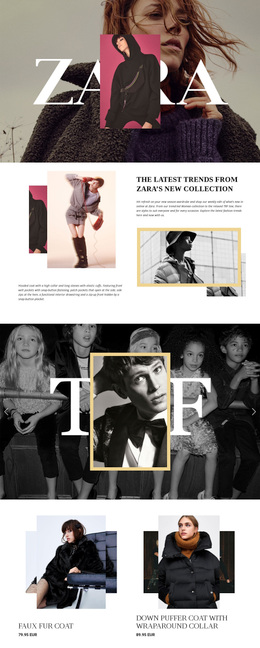
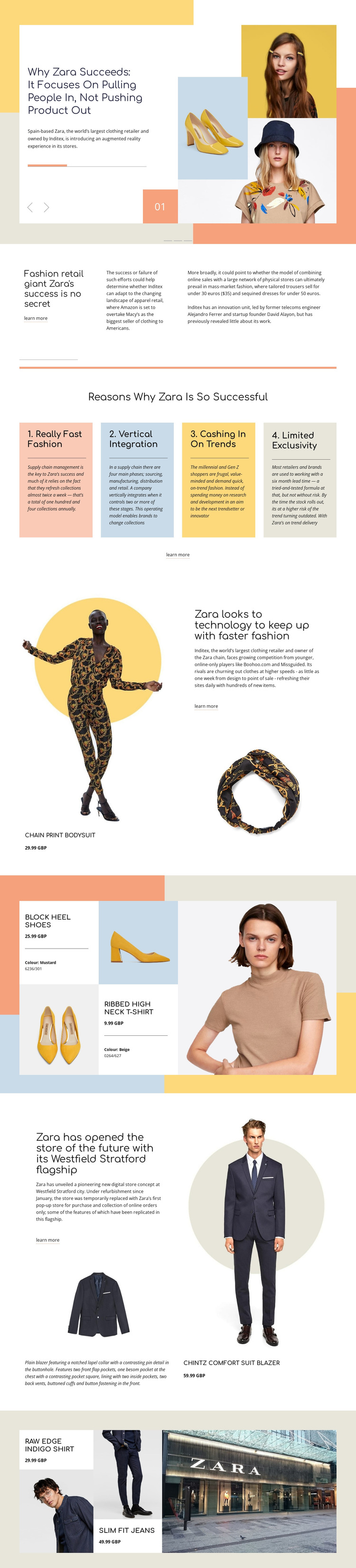
The strongest reason to choose this design is its combination of analysis and merchandise presentation. Instead of treating fashion products as isolated catalog entries, the page places them inside a broader story about Zara’s success, technology, faster fashion, and the future store. The three-slide carousel makes that editorial direction visible immediately, using related headlines and large fashion photography to establish a magazine-like opening.
The four colored cards provide a second distinctive layer. Fast fashion, vertical integration, trend response, and limited exclusivity are presented as numbered factors, giving the layout a clear explanatory center. Around that center, split sections pair garments and displayed GBP prices with supporting text, while the product grid and closing gallery create visual variety through alternating image and information panels.
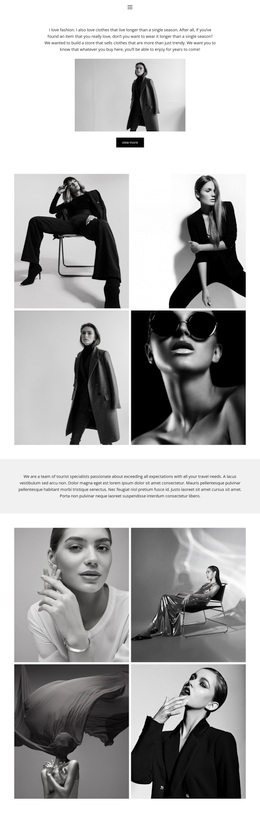
The Westfield Stratford section adds a physical retail dimension that separates the design from a purely online shop layout. A flagship-store reference, storefront imagery, product photography, and the chintz comfort suit blazer connect retail space with merchandise and strategy. Warm pastel blocks, generous white space, compact typography, and asymmetrical compositions reinforce the editorial tone. This is a useful design option for projects that need fashion products to support a narrative about retail, trends, or brand strategy rather than stand alone as a product list.
Customize with Nicepage
Open this ready-made template in the Template Builder and customize it visually in the Nicepage editor. Replace demo content, edit page sections, and adapt the design to your project without rebuilding the template from scratch.
Start With a Ready-Made Template
Choose a Design for a New Page
Use a ready-made template as a starting point instead of creating every page from a blank canvas. When adding a new page in Nicepage, browse available designs, compare different layouts, and choose an option that already fits the general purpose and visual direction of your project.
Browse Different Page Designs
Explore Page Designs using search, thematic categories, Design Sets, and full-page previews. The collection includes layouts for different subjects and page purposes, making it easier to compare alternatives before selecting a design to customize.
Customize the Selected Template
After choosing a design, create the page and continue editing it visually in Nicepage. Replace the demo content, adjust images, typography, colors, sections, and other elements, and adapt the ready-made layout to your own content instead of rebuilding the design from the beginning.
Explore More Design Directions
If the first option does not match your project closely enough, return to the design collection and compare other templates before committing to a layout. This makes the template library useful not only for faster page creation, but also for exploring different visual approaches and finding a suitable starting point for a new project.
This workflow gives you access to a broad collection of ready-made designs that can be selected, compared, and customized according to the needs of each new page or project.