We make sending flowers fun Template



Edit Template Offline
2. Create new page and search for id 6268465
Edit Template Online
Create Awesome Websites


Free Nicepage Builder
Keywords
Six Flower Collections Supported by Service and Local Content
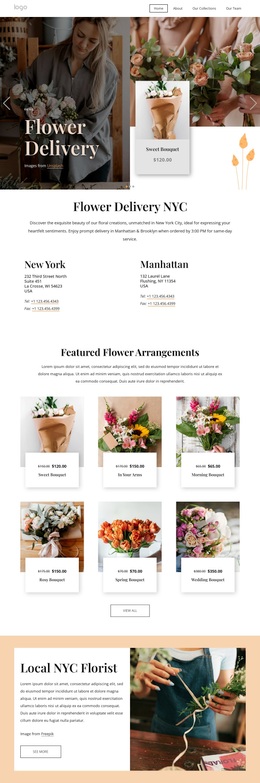
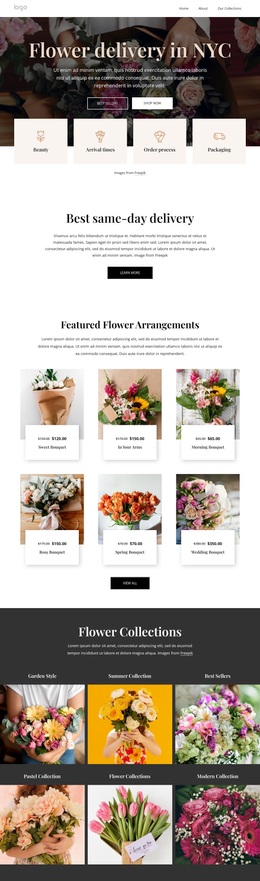
The six Flower Collections categories give this design a clear reason to stand out among ready-made floral layouts. Garden Style, Summer Collection, Best Sellers, Pastel Collection, Flower Collections, and Modern Collection turn the product subject into visible choices rather than leaving the page dependent on a single hero image. The nine-image gallery reinforces that choice-led character by extending the arrangement story into a larger visual showcase.
The design also covers several supporting questions that a flower delivery project may need to address. Four feature items frame the service around freshness, value, quick delivery, and greeting cards. The Event Florals section separates Events, Weddings, and Workshops, making the layout relevant to more than routine bouquet delivery. Testimonials, a five-question FAQ, and four team profiles add reassurance and human context, while the NYC section identifies the local setting without requiring a separate introductory page.
This combination makes the page a useful option for projects that need visual browsing together with service explanation. The floral imagery carries much of the presentation, but the structure does not stop at a gallery: it includes collection categories, event-related offerings, local context, questions, and a mailing-list signup. Because some names and supporting text are demo content, they should be replaced; the underlying coverage and relationships remain the distinctive reasons to choose this design.
Customize with Nicepage
Open this ready-made template in the Template Builder and customize it visually in the Nicepage editor. Replace demo content, edit page sections, and adapt the design to your project without rebuilding the template from scratch.
Start With a Ready-Made Template
Choose a Design for a New Page
Use a ready-made template as a starting point instead of creating every page from a blank canvas. When adding a new page in Nicepage, browse available designs, compare different layouts, and choose an option that already fits the general purpose and visual direction of your project.
Browse Different Page Designs
Explore Page Designs using search, thematic categories, Design Sets, and full-page previews. The collection includes layouts for different subjects and page purposes, making it easier to compare alternatives before selecting a design to customize.
Customize the Selected Template
After choosing a design, create the page and continue editing it visually in Nicepage. Replace the demo content, adjust images, typography, colors, sections, and other elements, and adapt the ready-made layout to your own content instead of rebuilding the design from the beginning.
Explore More Design Directions
If the first option does not match your project closely enough, return to the design collection and compare other templates before committing to a layout. This makes the template library useful not only for faster page creation, but also for exploring different visual approaches and finding a suitable starting point for a new project.
This workflow gives you access to a broad collection of ready-made designs that can be selected, compared, and customized according to the needs of each new page or project.