Car wash services in tabs Joomla Template


Tabbed Service Information Forms a Clear CMS Content Region
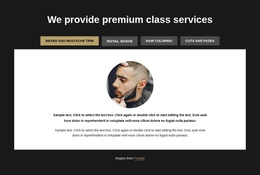
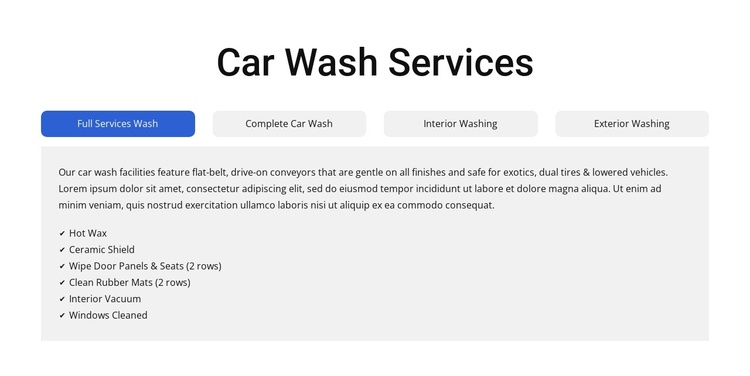
The four service categories give this block a structured information model that fits a Joomla-managed page: one heading, a category selector, and a corresponding detail area. Full Services Wash, Complete Car Wash, Interior Washing, and Exterior Washing are not presented as disconnected cards. Instead, the tab relationship keeps the section compact while allowing each category to carry its own description and feature checklist.
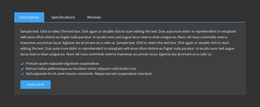
The content panel provides a stable visual destination for the selected service. Its dark, left-aligned text sits on a pale-gray rectangle, while the active tab receives blue emphasis against the light-gray inactive controls. This contrast makes the relationship between the selected category and its details easy to follow. The visible service content includes structural feature examples such as Hot Wax, Ceramic Shield, Interior Vacuum, and Windows Cleaned; the other category panes add items including Wheel Cleaner, Rain Repel, Tire Shine, Clearcoat Protectant, Foam Polish, and Spot-Free Rinse.
Within a Joomla-oriented project, this arrangement can remain a reusable automotive service region while the broader site manages its surrounding editorial content and page structure. The section’s value is the clear grouping of related information: visitors can compare categories through the tabs without losing the consistent heading, panel, and checklist format. That makes it suitable for a service page where several offerings need to share one controlled visual area.
Customize with Nicepage
Open this ready-made template in the Joomla Page Builder and customize it visually in the Nicepage editor. Replace demo content, edit page sections, and adapt the design to your project without rebuilding the template from scratch.
Edit Template Offline
2. Create a new page or select existing
3. Click Add new block, search for id 6330410 and click enter
Edit Template Online
Create Awesome Websites


Free Nicepage Builder
Keywords
Work With This Template in Joomla
Customize and Install the Joomla Template
Start with this ready-made template instead of building the Joomla design from scratch. Customize its layout, content, typography, images, sections, and other design elements visually in the Nicepage application, then export and install the Joomla Template, Nicepage Extension, and supported content on your Joomla website.
Edit the Template Directly in Joomla
After installation, you can edit the Joomla Template directly in Joomla with the Nicepage Joomla Extension. Customize the Header, Footer, Colors, Fonts, typography, and Page Templates from the Joomla workflow while keeping the site design connected with your CMS content.
Edit Joomla Articles Visually
Use the Nicepage Joomla Extension to open and edit Joomla Articles visually from the Joomla Administrator. Change text, images, sections, layouts, and other page content in the Nicepage editor while continuing to manage the Articles through Joomla.
Joomla Content and Template Integration
Use the customized template together with Joomla Articles, module Positions, menus, forms, Blog Pages, and other supported CMS elements. With the Nicepage Extension used as the Site Style Source, shared design settings can be applied across Joomla Articles while Joomla continues to provide the CMS environment for managing site content.
This workflow combines a ready-made Joomla Template with visual customization, direct template editing in Joomla, and continued content management through the Nicepage Joomla Extension.