Car wash gallery Joomla Template



Edit Template Offline
2. Create new page and search for id 6523309
Edit Template Online
Create Awesome Websites


Free Nicepage Builder
Keywords
Service Labels and Gallery Content Create Structured Joomla Regions
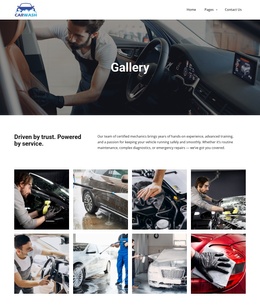
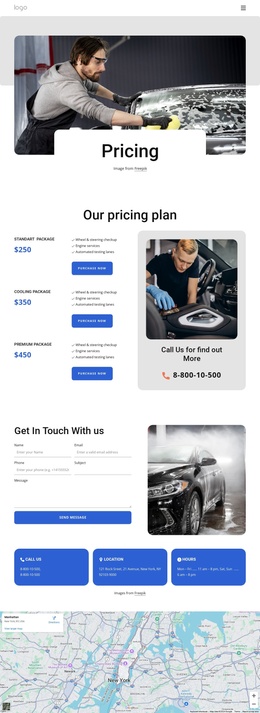
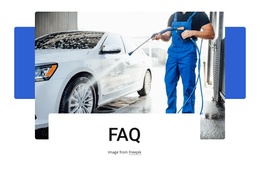
The page divides its information into recognizable content areas that can suit a CMS-managed automotive site. The header establishes the shared navigation context, while the Gallery hero gives the page a clear subject before the split introduction adds the service message “Driven by trust. Powered by service.” This sequence separates orientation, credibility, and visual evidence rather than placing every detail into one undifferentiated block. The eight vehicle-care images then provide a repeated gallery region that can represent washing, polishing, and detailing work.
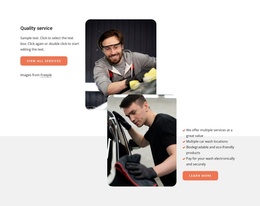
The service labels create another useful content relationship. Rim cleaning, hot wax, express wash, door-trim cleaning, tyre shine, and high-pressure rinsing can be understood as structured service information alongside the visual gallery, while the Book Your Wash action marks the point where visitors may move from browsing to inquiry. The footer reinforces the site-wide organization through useful links, an Our Services list, social links, and the car-wash brand. In a Joomla project, these distinct regions can remain visually coordinated while content is organized through the CMS environment. The design does not depend on long article text; it works through a compact hierarchy of navigation, service explanation, image-based proof, and contact-oriented response. That makes its content division practical for a service site that may later add related informational areas without losing the original page’s visual order.
Customize with Nicepage
Open this ready-made template in the Joomla Page Builder and customize it visually in the Nicepage editor. Replace demo content, edit page sections, and adapt the design to your project without rebuilding the template from scratch.
Work With This Template in Joomla
Customize and Install the Joomla Template
Start with this ready-made template instead of building the Joomla design from scratch. Customize its layout, content, typography, images, sections, and other design elements visually in the Nicepage application, then export and install the Joomla Template, Nicepage Extension, and supported content on your Joomla website.
Edit the Template Directly in Joomla
After installation, you can edit the Joomla Template directly in Joomla with the Nicepage Joomla Extension. Customize the Header, Footer, Colors, Fonts, typography, and Page Templates from the Joomla workflow while keeping the site design connected with your CMS content.
Edit Joomla Articles Visually
Use the Nicepage Joomla Extension to open and edit Joomla Articles visually from the Joomla Administrator. Change text, images, sections, layouts, and other page content in the Nicepage editor while continuing to manage the Articles through Joomla.
Joomla Content and Template Integration
Use the customized template together with Joomla Articles, module Positions, menus, forms, Blog Pages, and other supported CMS elements. With the Nicepage Extension used as the Site Style Source, shared design settings can be applied across Joomla Articles while Joomla continues to provide the CMS environment for managing site content.
This workflow combines a ready-made Joomla Template with visual customization, direct template editing in Joomla, and continued content management through the Nicepage Joomla Extension.