We provide high quality car detailing Joomla Template


Four Service Benefits Create a Structured Joomla Content Region
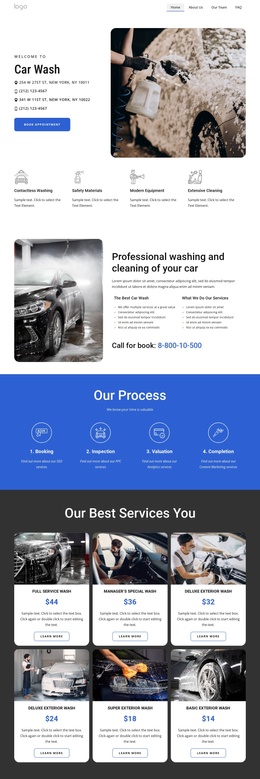
The four benefit statements give this block a clear informational core. They describe multiple service qualities, including multiple car wash locations, biodegradable and eco-friendly products, and electronic payment, while the introductory “Quality service” heading frames them as part of one service offering. The lower row places that list to the right of a rounded portrait image, making the benefits easy to distinguish from the introductory copy above.
The upper row has its own content role: a supporting paragraph and rounded image introduce the offering before the “View all services” action. The lower “Learn more” button then follows the benefit list, so the two actions support different stages of the same section. The overlapping images near the center visually connect these stages, while the white-to-light-gray transition helps the two content regions remain legible within a longer page.
In a Joomla-oriented project, this arrangement can serve as a reusable visual region for structured service information. The broader site may manage other editorial content and page areas through Joomla, while this section preserves its two-row presentation and service-benefit grouping. If the project uses Nicepage’s Joomla workflow, the relevant content can participate in a Joomla-managed page without changing the block’s established hierarchy or presenting the sample wording as a separate data structure.
Customize with Nicepage
Open this ready-made template in the Joomla Page Builder and customize it visually in the Nicepage editor. Replace demo content, edit page sections, and adapt the design to your project without rebuilding the template from scratch.
Edit Template Offline
2. Create a new page or select existing
3. Click Add new block, search for id 6329506 and click enter
Edit Template Online
Create Awesome Websites


Free Nicepage Builder
Keywords
Work With This Template in Joomla
Customize and Install the Joomla Template
Start with this ready-made template instead of building the Joomla design from scratch. Customize its layout, content, typography, images, sections, and other design elements visually in the Nicepage application, then export and install the Joomla Template, Nicepage Extension, and supported content on your Joomla website.
Edit the Template Directly in Joomla
After installation, you can edit the Joomla Template directly in Joomla with the Nicepage Joomla Extension. Customize the Header, Footer, Colors, Fonts, typography, and Page Templates from the Joomla workflow while keeping the site design connected with your CMS content.
Edit Joomla Articles Visually
Use the Nicepage Joomla Extension to open and edit Joomla Articles visually from the Joomla Administrator. Change text, images, sections, layouts, and other page content in the Nicepage editor while continuing to manage the Articles through Joomla.
Joomla Content and Template Integration
Use the customized template together with Joomla Articles, module Positions, menus, forms, Blog Pages, and other supported CMS elements. With the Nicepage Extension used as the Site Style Source, shared design settings can be applied across Joomla Articles while Joomla continues to provide the CMS environment for managing site content.
This workflow combines a ready-made Joomla Template with visual customization, direct template editing in Joomla, and continued content management through the Nicepage Joomla Extension.