Auto Dealer Listings Joomla Template



Edit Template Offline
2. Create new page and search for id 6644470
Edit Template Online
Create Awesome Websites


Free Nicepage Builder
Keywords
Vehicle Categories and Inventory Groups Divide the Dealer Content
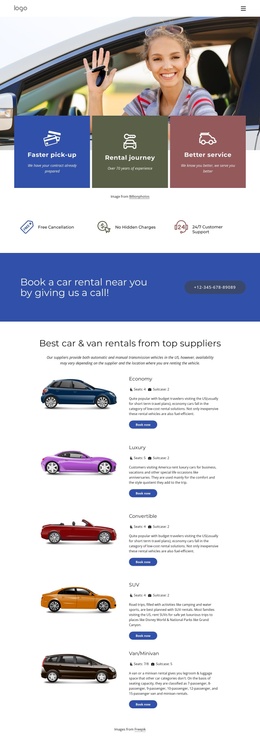
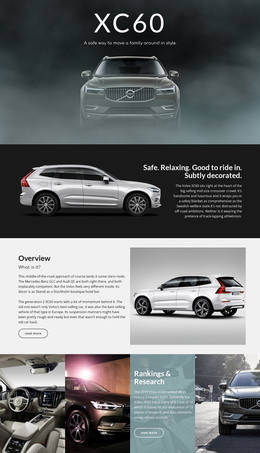
The page’s repeated inventory areas translate naturally into structured CMS content regions. The first group contains four vehicle cards with images, names, prices, and specifications, while a later group contains three additional cards. These groups can be understood as separate areas for featured vehicles and further inventory, allowing the dealership’s content to remain organized without losing the shared card presentation.
The four category tiles add a second content relationship. SUV, Sedan, Hatchback, and Electric are not merely decorative labels; they divide the browsing experience by body type or powertrain. Alongside the condition, make, and model controls in the Search Inventory panel, they provide several ways to organize the same dealership subject. The About Us section then supplies structured business context through customer-focused text, service bullets, and a representative image.
Navigation and reusable site regions can preserve the connection between these areas and the closing response block. The final section explicitly separates Book a Test Drive from Contact Dealer, so inquiries and appointments have a clear place after inventory exploration. In a Joomla project, the design can therefore serve as a coordinated content arrangement for vehicle listings, categories, dealership information, and contact-oriented sections, while Joomla manages the evolving site content rather than the page becoming a collection of disconnected cards.
Customize with Nicepage
Open this ready-made template in the Joomla Page Builder and customize it visually in the Nicepage editor. Replace demo content, edit page sections, and adapt the design to your project without rebuilding the template from scratch.
Work With This Template in Joomla
Customize and Install the Joomla Template
Start with this ready-made template instead of building the Joomla design from scratch. Customize its layout, content, typography, images, sections, and other design elements visually in the Nicepage application, then export and install the Joomla Template, Nicepage Extension, and supported content on your Joomla website.
Edit the Template Directly in Joomla
After installation, you can edit the Joomla Template directly in Joomla with the Nicepage Joomla Extension. Customize the Header, Footer, Colors, Fonts, typography, and Page Templates from the Joomla workflow while keeping the site design connected with your CMS content.
Edit Joomla Articles Visually
Use the Nicepage Joomla Extension to open and edit Joomla Articles visually from the Joomla Administrator. Change text, images, sections, layouts, and other page content in the Nicepage editor while continuing to manage the Articles through Joomla.
Joomla Content and Template Integration
Use the customized template together with Joomla Articles, module Positions, menus, forms, Blog Pages, and other supported CMS elements. With the Nicepage Extension used as the Site Style Source, shared design settings can be applied across Joomla Articles while Joomla continues to provide the CMS environment for managing site content.
This workflow combines a ready-made Joomla Template with visual customization, direct template editing in Joomla, and continued content management through the Nicepage Joomla Extension.